

The five-minute setlist
How to build and share a setlist without the spreadsheet - sequencing a set that works, keeping the live arrangement rather than the album cut, printing a stage sheet, and keeping one current version everyone can see.
By @KHeavy · Updated 7 August 2026
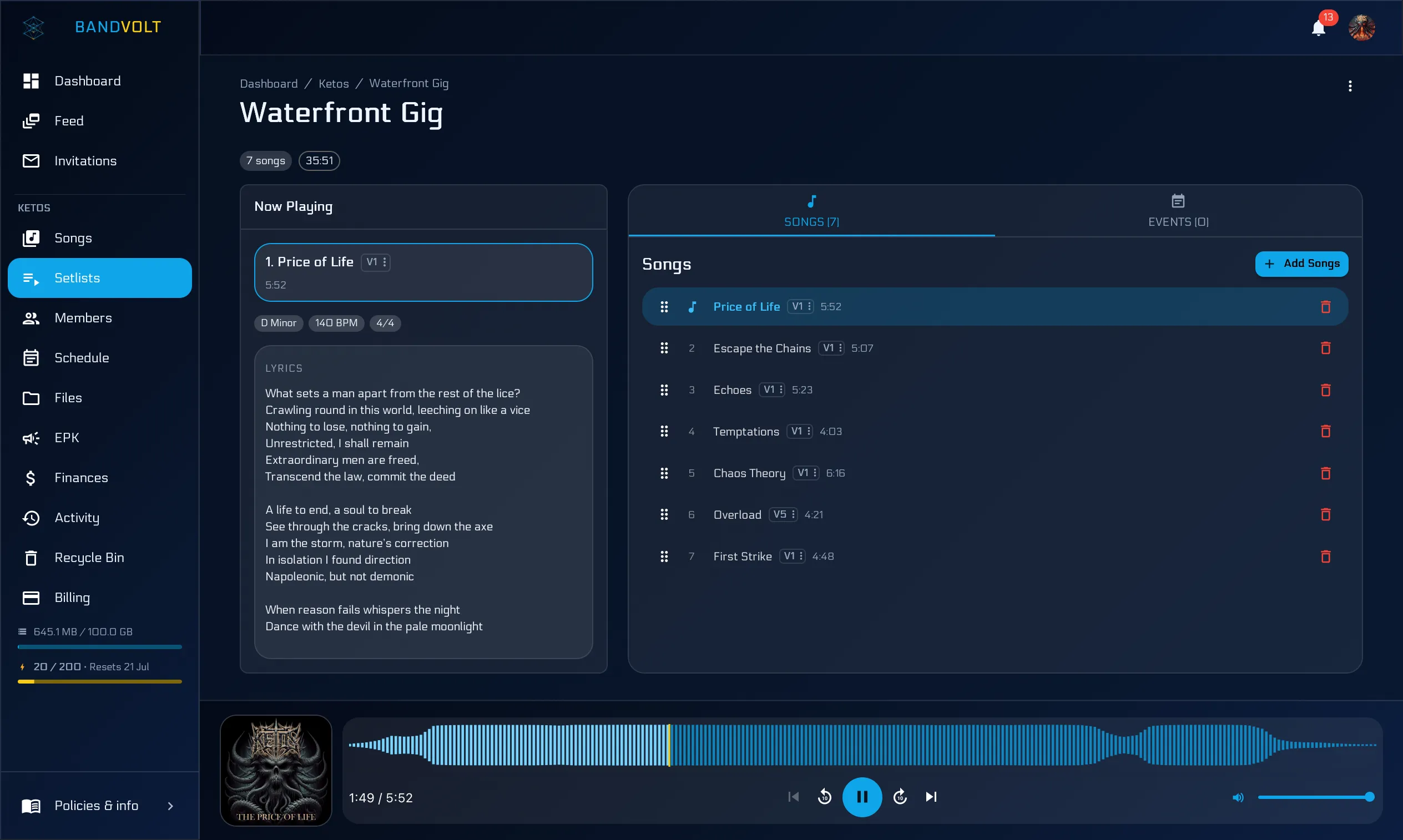
The short answer: build your setlist in a tool that already knows your songs. BandVolt’s setlist builder pulls from your band’s library - BPM, key, and length included - lets each setlist use any version of a song (album cut, live arrangement, or unreleased), links the set to the gig on the calendar, and prints a clean stage sheet when you need paper on the monitors. It is free on the Basic tier.
Most setlists start as a back-of-the-napkin and end as a screenshot of a Google Doc taped to a monitor.
There is a faster way, and it keeps working after the set is built.
Drag, drop, done
Open the setlist builder. Pull songs in from the band library. Reorder them. The set is built - and every song already has its BPM, key, and length attached because that data lives on the song itself.
No retyping. No “wait, what key are we in for this one?” five minutes before doors.
The length column is the part bands underuse. A set is a time budget, and knowing you are at 34 minutes before you walk on is the difference between finishing your last song and being cut off during it.
Sequencing a set that works
The tooling is the easy half. Here is the part that takes judgement, condensed from every set that has gone badly.
Open with something you can play cold. The first song is played with adrenaline, an unfamiliar monitor mix, and hands that are not warm yet. Do not open with your most technically demanding song, and do not open with the new one.
Do not save your best-known song for last. Put it around two thirds of the way in. It lifts the room at the point where attention naturally dips, and it means you still have the crowd for the closer. Ending on it is conventional and usually wastes it.
Keep keys and tempos moving. Two mid-tempo songs in the same key back to back will flatten a room even if both are good. Sorting by key and BPM in the builder makes accidental clusters obvious before you find them on stage.
Put the new song in the first half. If you are trying out unreleased material, play it while people are still paying close attention, not in the slot where they have started thinking about the last bus.
Decide the drop and the spare in advance. Every set should have one song you will cut without discussion if you are running late, and one you can add if you finish early. Deciding that at soundcheck takes thirty seconds. Deciding it mid-set, by shouting, does not go well.
Write the talking in. If somebody introduces the band or plugs the merch table, put it in the list as a line. Otherwise it either does not happen or happens three times.
The version you actually play
Every song in BandVolt keeps its full version history - and each setlist can point at whichever version you choose. Play the album cut in one set, the extended live arrangement in another, the abridged edit when the support slot gets cut to twenty minutes.
Unreleased songs go straight in too. That is where a streaming playlist gives up: it can only hold what has been released, in the released form. Your rehearsal setlist can hold the set you are actually going to play.
This matters most in rehearsal. If the band practises to the album cut but plays the extended live version on stage, you are rehearsing the wrong arrangement - which is the argument we make at more length in rehearse the live version, not the album cut.
Linked to the gig
Setlists attach to events on the shared calendar. The Friday show at the King’s Head has its own setlist. The Saturday show has another. Nobody is asking in the chat the morning of which set you are playing.
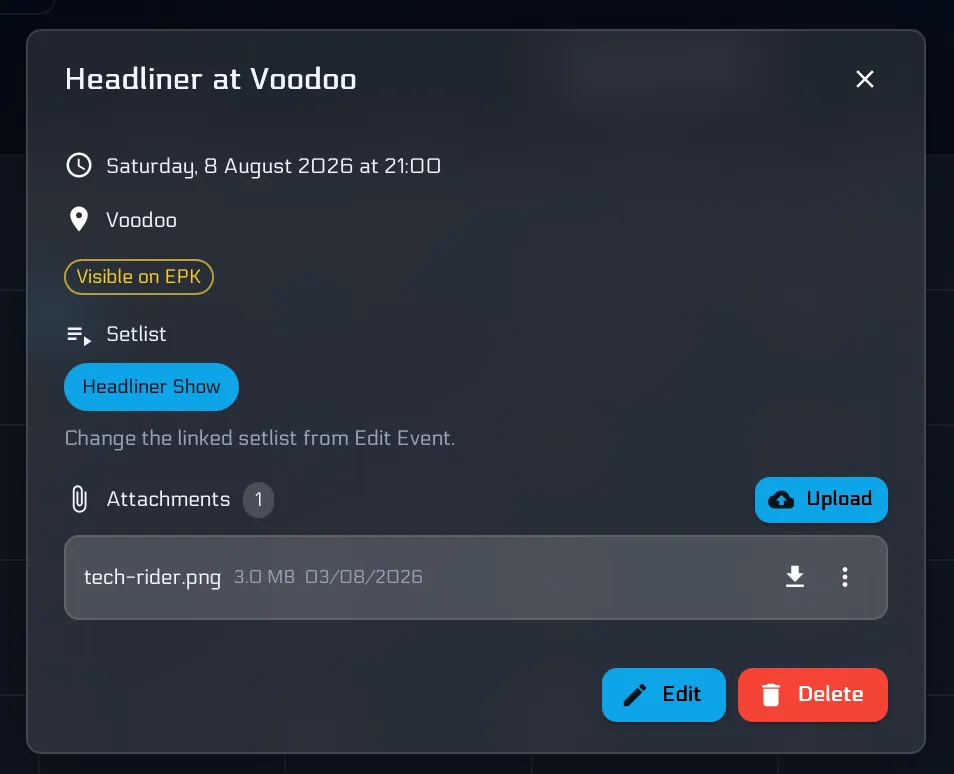
Attaching the set to the event also means the rest of the gig’s paperwork has somewhere to live - the rider, the stage plot, the load-in time - instead of being scattered across four chat threads. That is the problem behind the 11pm hunt for the tech rider.
Print the stage sheet from the same list
When you need paper on the monitors, Print from the setlist menu. You get a minimal numbered sheet - title and song order, large type - from the same list everyone already shares. No second document. No screenshot of a Doc that went stale two edits ago.
We cover the stage-sheet workflow in more detail in from shared setlist to stage sheet.
One source of truth
When the support slot gets bumped to 30 minutes, you edit the setlist once. Everyone sees the change. The next print matches. No new screenshot. No taped-up update.
That single property - one current version, visible to everyone - is what a photo in a chat thread can never give you. Three days after a screenshot goes out, at least one member is playing from an old one, and you will find out on stage.
Build your next setlist in five minutes, or read more about how setlists work.
Frequently asked questions
How do you build a good setlist?
Open strong with something the band can play without warming up, put your best-known song about two thirds of the way through rather than at the very end, keep keys and tempos moving so two similar songs never sit together, and know exactly which song you drop if the slot gets shortened. Sequence for energy, not for your own favourites.
How many songs should be in a setlist?
Work in minutes, not songs. A 30-minute support slot is usually six or seven songs once you allow for tuning and talking; a 45-minute headline set is nine or ten. Always plan one song you are happy to cut and one you can add, so a schedule change does not become a decision made on stage.
Can a setlist use an unreleased song?
In BandVolt, yes - a setlist points at songs in your band's library, so unreleased material and works in progress go straight in. This is the main thing a streaming playlist cannot do, since it can only hold music that has been released.
How do you keep everyone on the same setlist?
Keep one setlist attached to the event on a shared calendar, rather than a screenshot circulating in a chat. When it changes, it changes in one place and everybody sees the current version - nobody is playing from a photo taken three days ago. Print from that same list when you need paper on the monitors.
Can I print a setlist?
Yes. From any setlist in BandVolt, choose Print and you get a clean numbered stage sheet - title and song order in large type - from the same shared list the band already uses.
Topics: best app for band setlists · setlist builder · setlist app with unreleased songs · print band setlist