

From shared setlist to stage sheet
How to get a clean numbered setlist onto the monitors without screenshotting a Google Doc - one tap from the setlist everyone already shares in BandVolt.
By @KHeavy
Most bands still get a setlist onto the stage the same way they always have: somebody screenshots a Google Doc, prints it crooked, and tapes it to a monitor. By the third song, half the band is working from a version that changed two edits ago.
You already fixed the shared list. Printing should not undo that.
One list, three places it has to show up
A working setlist has to exist in more than one form:
- On screen in rehearsal - with key, BPM, and lyrics while you learn the set
- Attached to the gig - so the calendar event and the running order stay tied together
- On paper at the venue - large type, numbered, readable under house lights
BandVolt already covered the first two: build from the library, pin the live arrangement rather than the album cut, link the set to the event. Print covers the third without starting a second document.
Print from the setlist you already trust
Open the setlist. Open the actions menu. Choose Print.
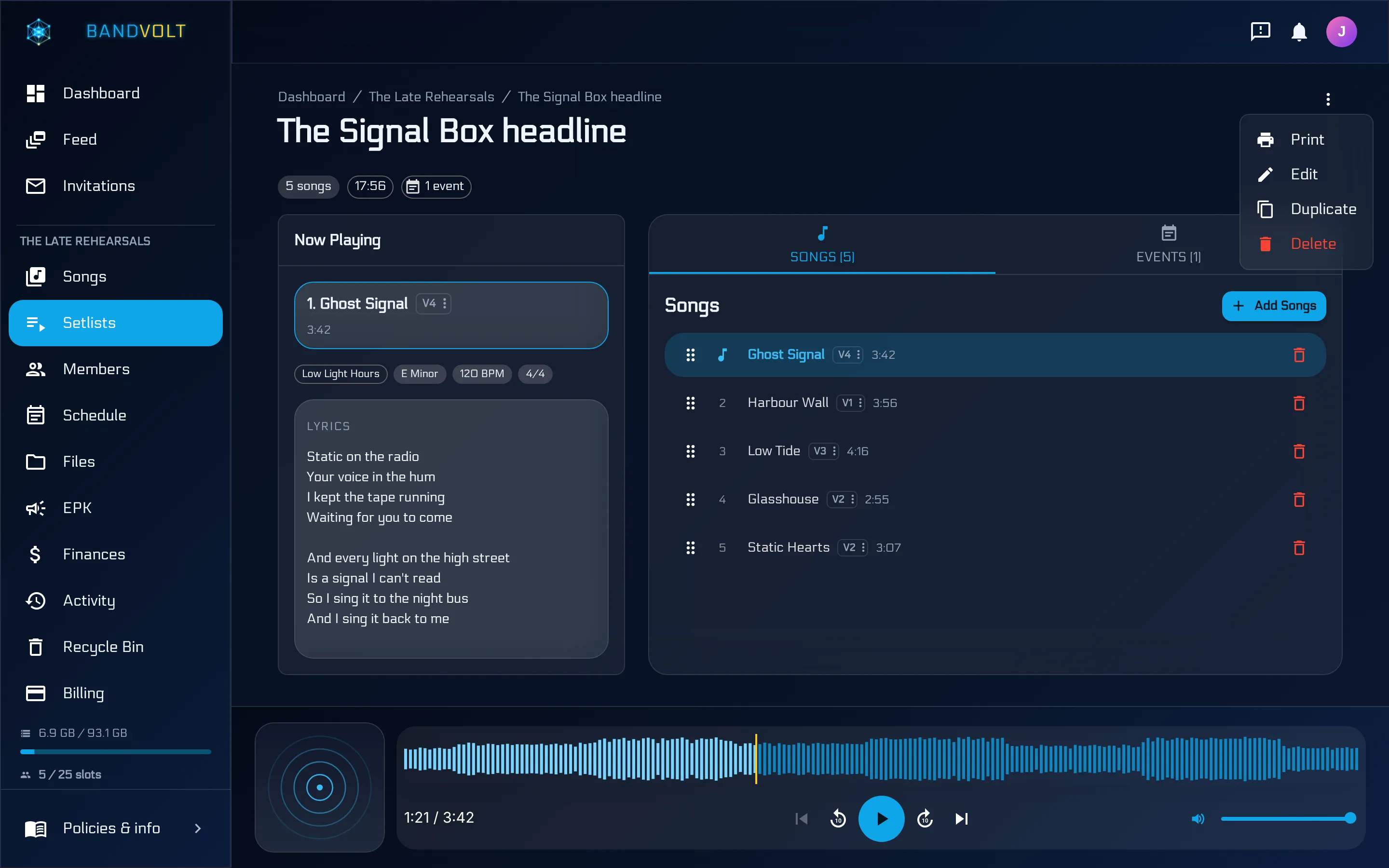
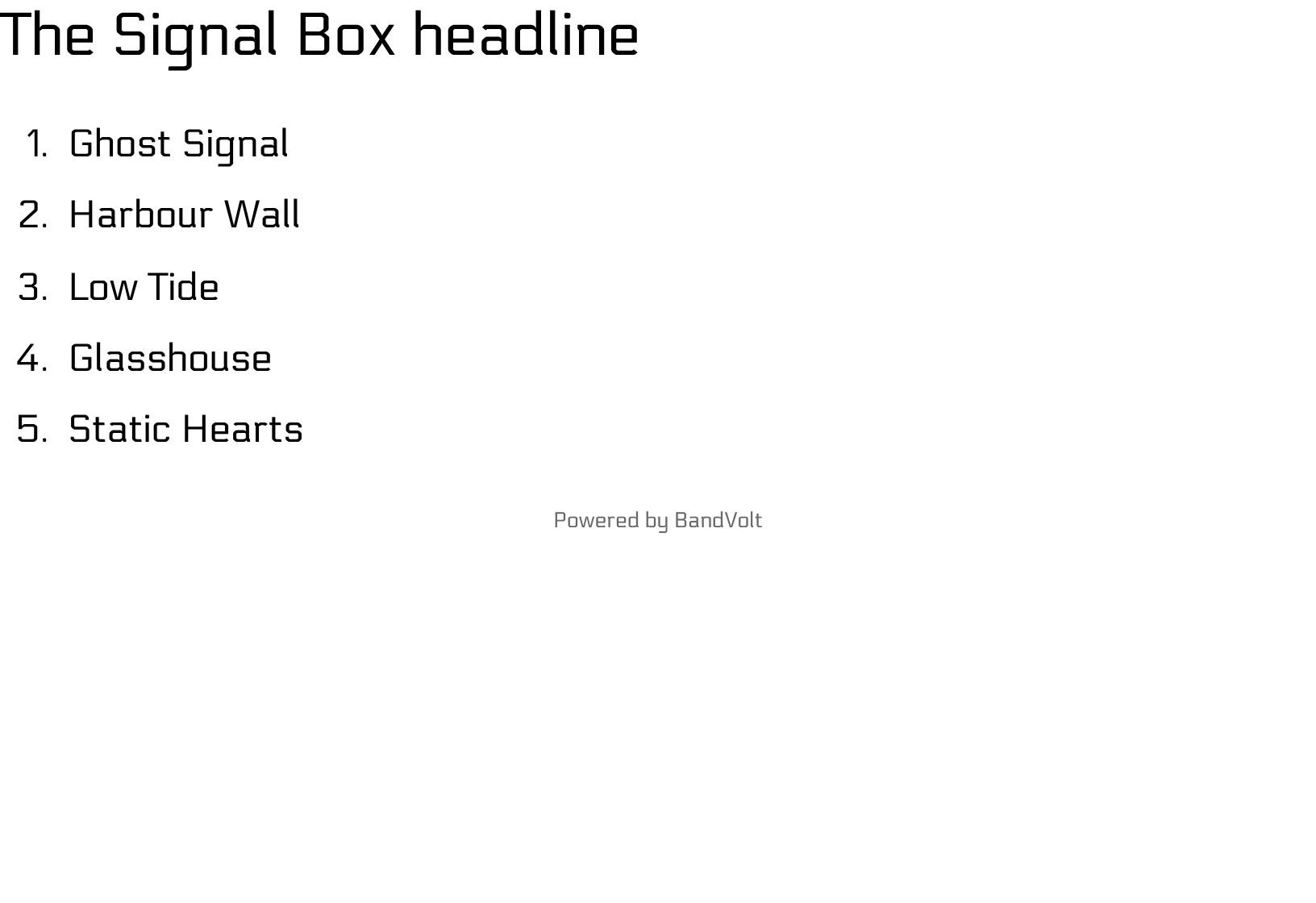
The browser print dialog opens a stage sheet: the setlist title, then a numbered list of song titles in large type. That is the whole design brief - sparse on purpose. BPM and lyrics belong in playback mode on a screen; tape on a monitor needs order and titles, not a dashboard dump.
Save as PDF or send it to the venue printer. Same order everyone already sees in the band workspace. When the support slot gets cut and you drop a song, you edit once; the next print matches rehearsal and the calendar.
What this replaces
- Screenshots of Docs and Notes apps that go stale the moment someone reorders
- A spreadsheet cell that wraps badly and prints at 8pt
- The “can you send the set again” message at load-in
It does not replace a properly marked chart when you need arrangement detail. It replaces the napkin and the stale photo.
Keep the screen for rehearsal, paper for the stage
Playback mode is still the right tool in the room: key, BPM, time signature, lyrics in view while you learn. Paper is for when phones stay in pockets and the monitor needs a list that does not depend on a connection.
Build the set once. Rehearse from it. Attach it to the gig. Print it for the monitors.
Build a setlist and print the stage sheet, or read more about how setlists work.
Frequently asked questions
Can I print a setlist from BandVolt?
Yes. Open the setlist, choose Print from the actions menu, and the browser print dialog opens a clean stage sheet - setlist title and a numbered list of song titles in large type.
What appears on the printed setlist?
Just the setlist title and the songs in order, numbered. No BPM, key, lyrics, or mix names on the paper - those stay in playback mode on a screen. The sheet is meant to be readable under stage lights and taped to a monitor.
Why not just screenshot the setlist?
A screenshot freezes an old order the moment someone edits the shared list. Printing from BandVolt always uses the current setlist the whole band already sees - same source of truth for rehearsal, the gig event, and the paper on stage.
Is printing included on the free tier?
Yes. Setlists and print are free on the Basic tier.
Topics: print band setlist · stage setlist sheet · band setlist app · printable setlist