

Content transfer - deliver finished mixes to a client band
A WeTransfer and FilePass alternative for mix engineers and producers - permanently transfer songs, stems, and albums into the client's BandVolt band with history intact.
By @KHeavy
The mix is done. The stems are labelled. The comments are resolved. Now you need the whole project to live in the client band’s account - not yours.
For years that meant another WeTransfer, another FilePass link, another Drive folder, and another round of “which zip is the latest?” Content transfer in BandVolt is the studio handoff those tools never were.
The short answer: a Premium band can permanently transfer songs or a whole Album/EP to another band - every mix, stem, supporting file, and the full comment and version history included. The receiving band does not need Premium. They need enough storage, and their Owner has to accept.
Built for how studios actually work
If you produce or mix for other acts, your BandVolt band is really a studio workspace. Client projects sit as songs and collections. External collaborators review in place. Storage fills up with stems.
What was missing was the last step: delivery. When the job is finished, the material should leave your workspace and become theirs - cleanly, with history intact, without you staying attached unless they invite you back.
That is the gap WeTransfer and FilePass leave open. They move bytes. They do not move a project into a living band workspace.
WeTransfer and FilePass vs content transfer
| WeTransfer / FilePass | BandVolt content transfer | |
|---|---|---|
| What arrives | A zip or file link | The song or album in the client’s band |
| History | Filenames and email threads | Every mix version and comment thread |
| After download | Link expires; storage still on your side | Ownership moves; your studio storage frees |
| Client signup | Optional chaos | Free Basic receive if they have space |
| Revisions later | Another transfer | They invite you back as a collaborator |
For a deeper side-by-side, see WeTransfer and FilePass vs BandVolt content transfer.
Move, not copy
A transfer is not a share link and not a zip dump. When the destination Owner accepts:
- The song or collection leaves your band and lands in theirs
- Mixes, stems, supporting files, and comment/version history move with it
- Your band loses access; storage frees on your side the moment they accept
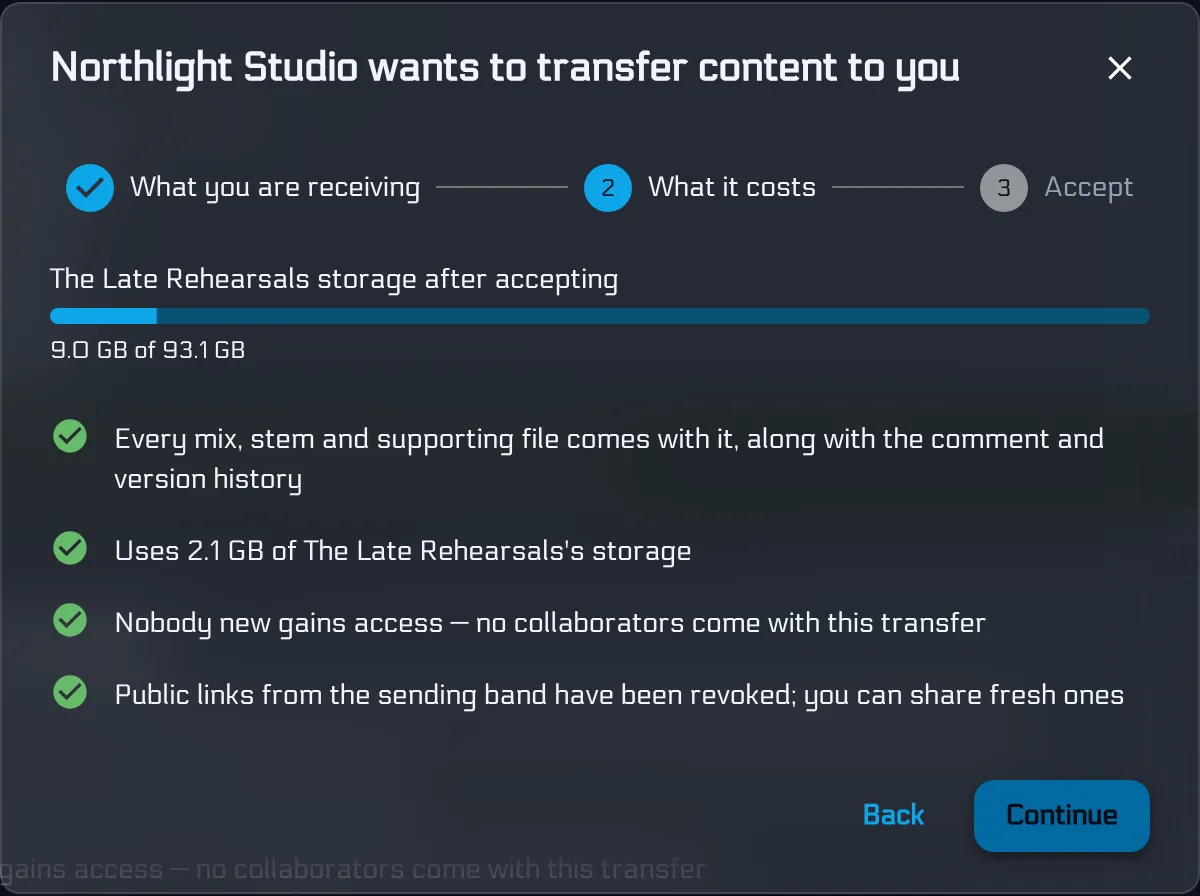
- Collaborators do not travel with the content - the receiving band invites anyone they want afterward
- Public links from the sending band are revoked; they can share fresh ones
Nothing moves until they accept. Pending offers expire after 30 days, and you can withdraw an offer while it is still open.
Premium to send, free to receive
Only a Premium band can offer a transfer. That is deliberate: the commercial workspace (the studio) pays; the client band receiving their own music does not hit a toll booth.
The receiving band can stay on Basic. They only need enough storage headroom. That means you can say “sign up and I’ll send you your mixes” without asking them to enter a card first - and without falling back to another expiring transfer link.
Transfer vs collaborator invite
These are complementary. The distinguishing question is who owns the work when it is finished.
| Situation | Use |
|---|---|
| Band already owns the material; you are mixing it | External collaborator invite |
| Band sends you stems to work on | Collaborator invite - do not transfer their song away while you are mixing |
| You started the project in your studio band | Transfer when you deliver |
| You expect revision requests after delivery | Transfer, then they invite you back as a collaborator |
Rule of thumb: invite when the band owns the work; transfer when you do.
How the handoff feels
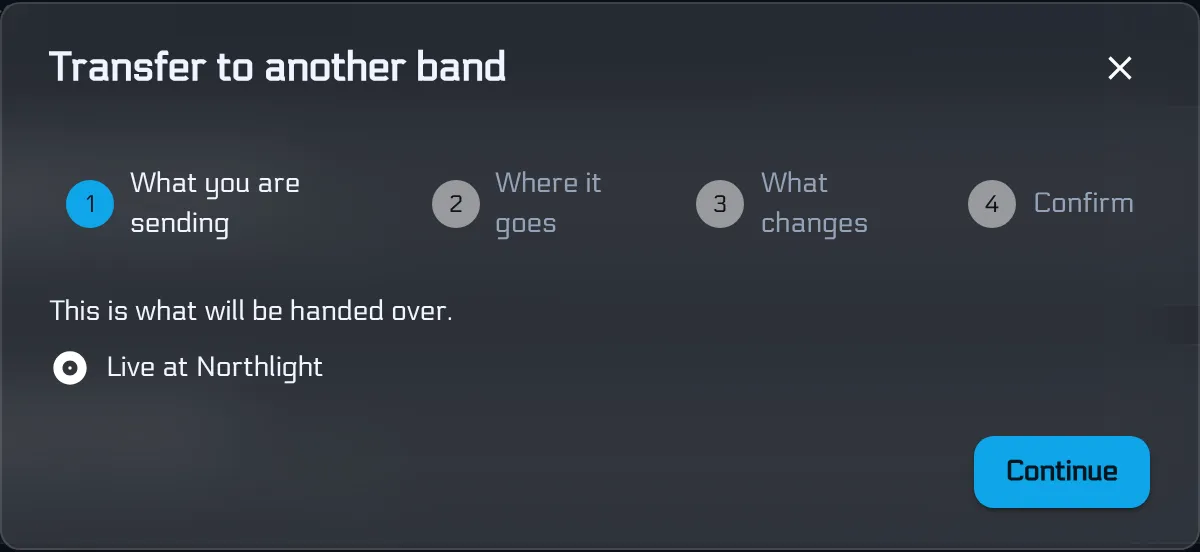
From your Premium band, open a song or collection and choose Transfer to another band. First you see exactly what is leaving - the song or album you are handing over.
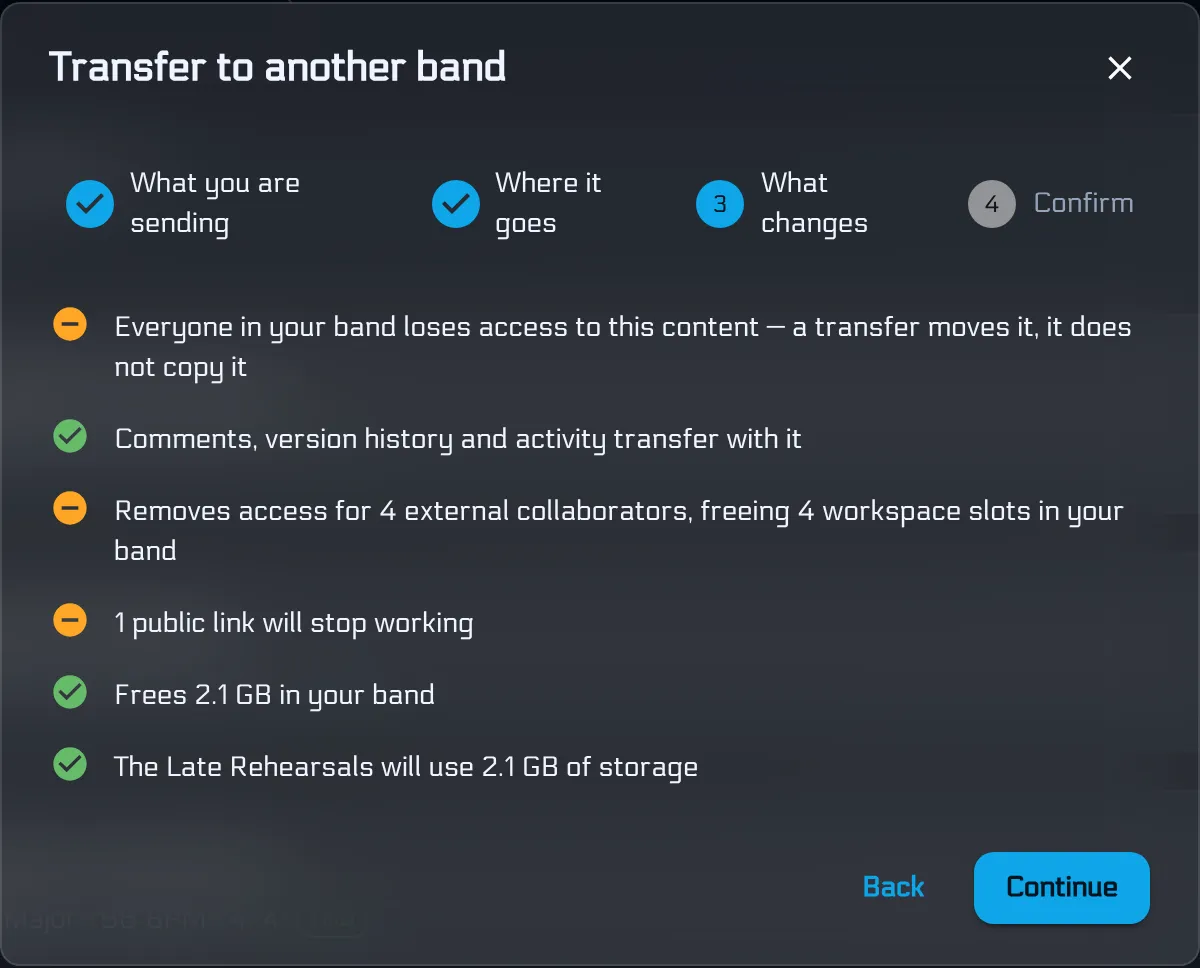
Then the impact checklist: access goes, history travels, storage frees on your side and lands on theirs. This is the step WeTransfer never shows you.
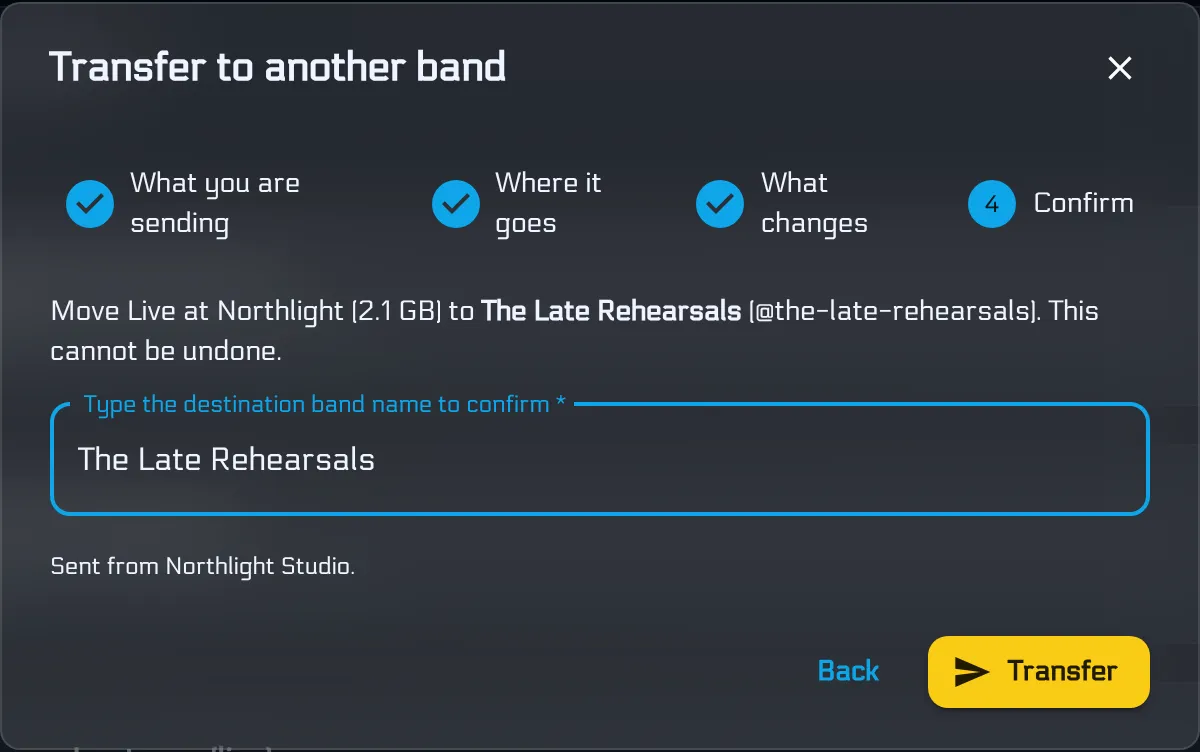
Confirm by typing the destination band name. Irreversible on purpose - delivery should feel like delivery.
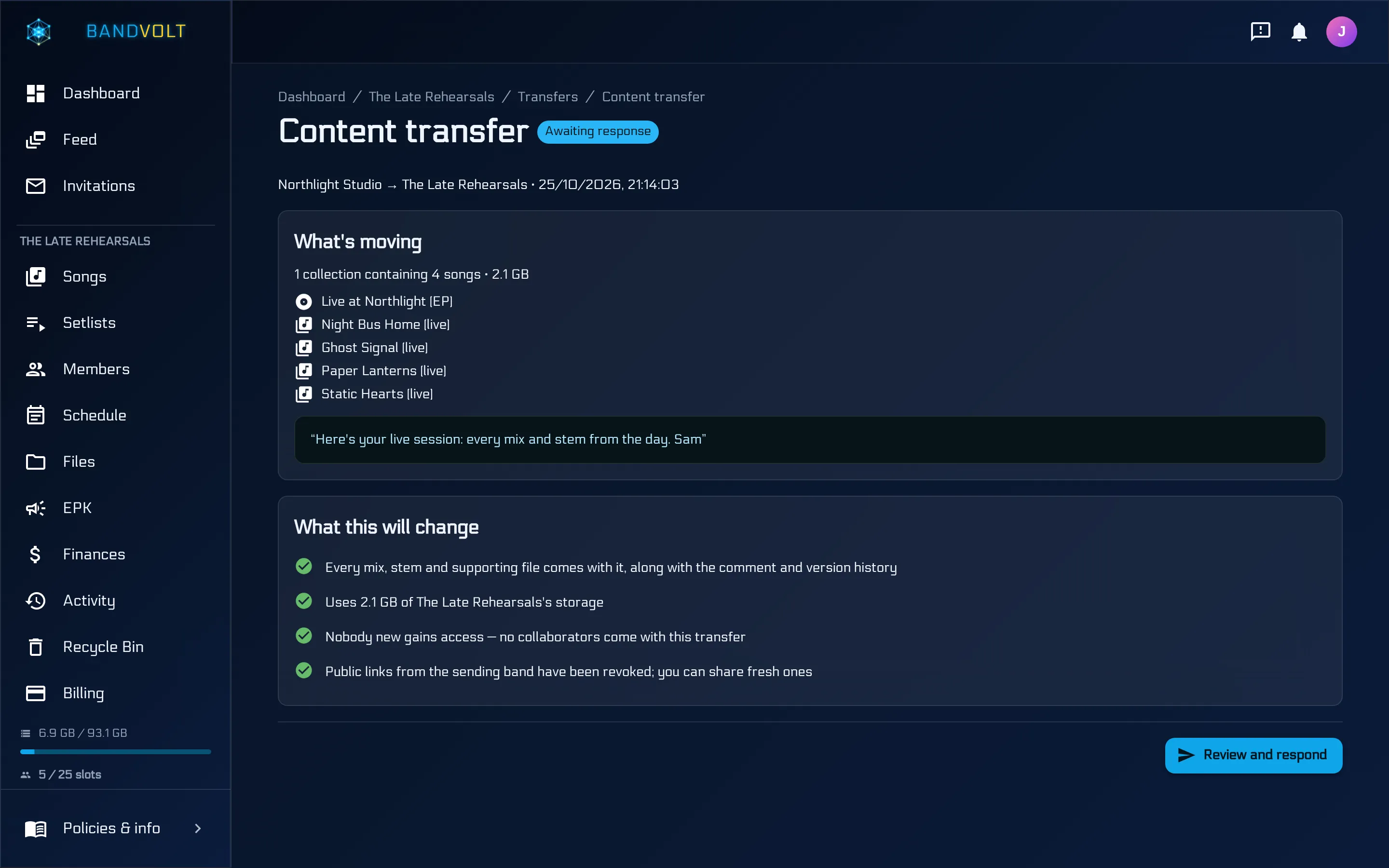
Their Owner reviews the same story from the other side, including a live storage bar after accept, then continues to accept or decline.
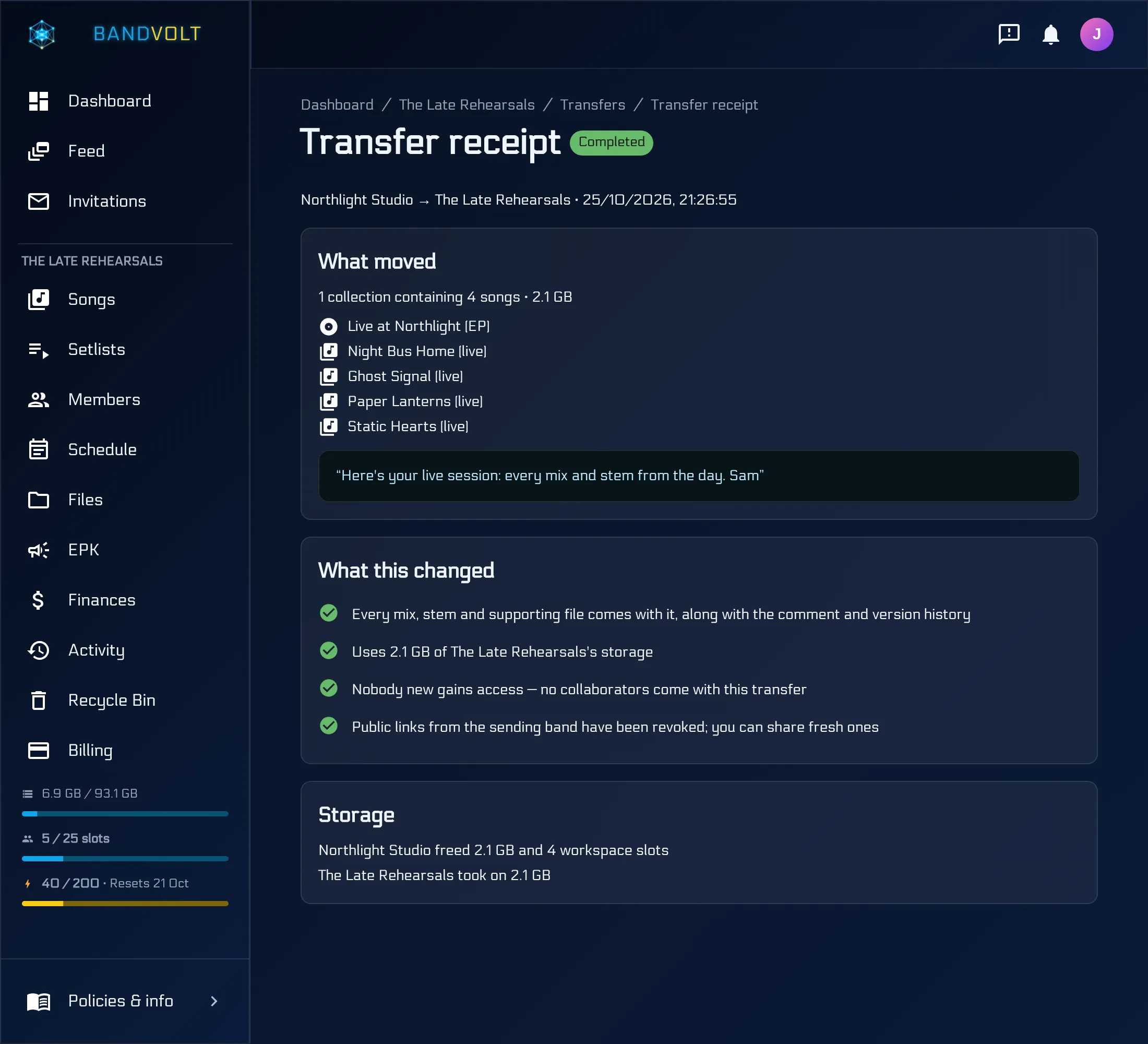
Both bands keep a receipt of what moved, what changed, and how storage settled.
Why this matters beyond bands
BandVolt started as a band workspace. Content transfer is what makes it a serious tool for mix engineers, producers, and studios too: finish the job in your Premium workspace, hand the masters to the client band in a few clicks, and get your storage back.
If you have been stitching that delivery together with WeTransfer, FilePass, and a shared drive, this is the clean end of that story.
Try content transfer on Premium, or read the full feature guide.
Frequently asked questions
What is a content transfer in BandVolt?
A content transfer permanently moves songs or Album/EP collections from one band to another, including mixes, stems, supporting files, and the full comment and version history. It is a move, not a copy - the source band loses access when the destination Owner accepts.
Is BandVolt a WeTransfer or FilePass alternative for studios?
For studio delivery, yes. WeTransfer and FilePass move files once and the link expires. BandVolt content transfer moves the finished song or album into the client band's workspace - versions, stems, and feedback history included - so the project lives where the band works next.
Do both bands need Premium?
No. Only the sending band needs Premium to offer a transfer. The receiving band can stay on the free Basic tier as long as it has enough storage headroom for what is arriving.
When should I transfer instead of inviting a collaborator?
Invite a collaborator when the band already owns the work and you need temporary access. Transfer when you own the project and it needs to change hands - for example when a studio finishes a mix that lived in the engineer's workspace.
Can I undo a transfer after it is accepted?
No. Acceptance is permanent. If the work needs to move back, the new owner would offer a transfer of their own, which requires Premium on their band.
What happens to my studio storage after delivery?
The moment the client band accepts, the transferred content leaves your workspace and the storage those files used is freed back to your Premium band.
Topics: content transfer · WeTransfer alternative · FilePass alternative · mix engineer delivery · send stems to client · studio file transfer · transfer album between bands