

Send feedback from the header - a direct line to the team
Stuck, spotted a bug, or have a feature idea? There is now a Send feedback button in the BandVolt header that goes straight to the people building it.
By @KHeavy
BandVolt is built by people who still care whether the next mix review feels right. That only works if you can tell us when it does not.
So there is now a Send feedback control in the header - available wherever you are in the app - that opens a short form and delivers your note straight to the team.
Always one click away
The speech-bubble icon with the exclamation mark sits in the top bar next to notifications. Hover it and you will see Send feedback. Click it from a song page, a setlist, the finances ledger - anywhere.

No digging through a help centre. No “contact us” page you have to remember exists. If something is wrong, or an idea hits you mid-rehearsal workflow, the button is already there.
What you can send
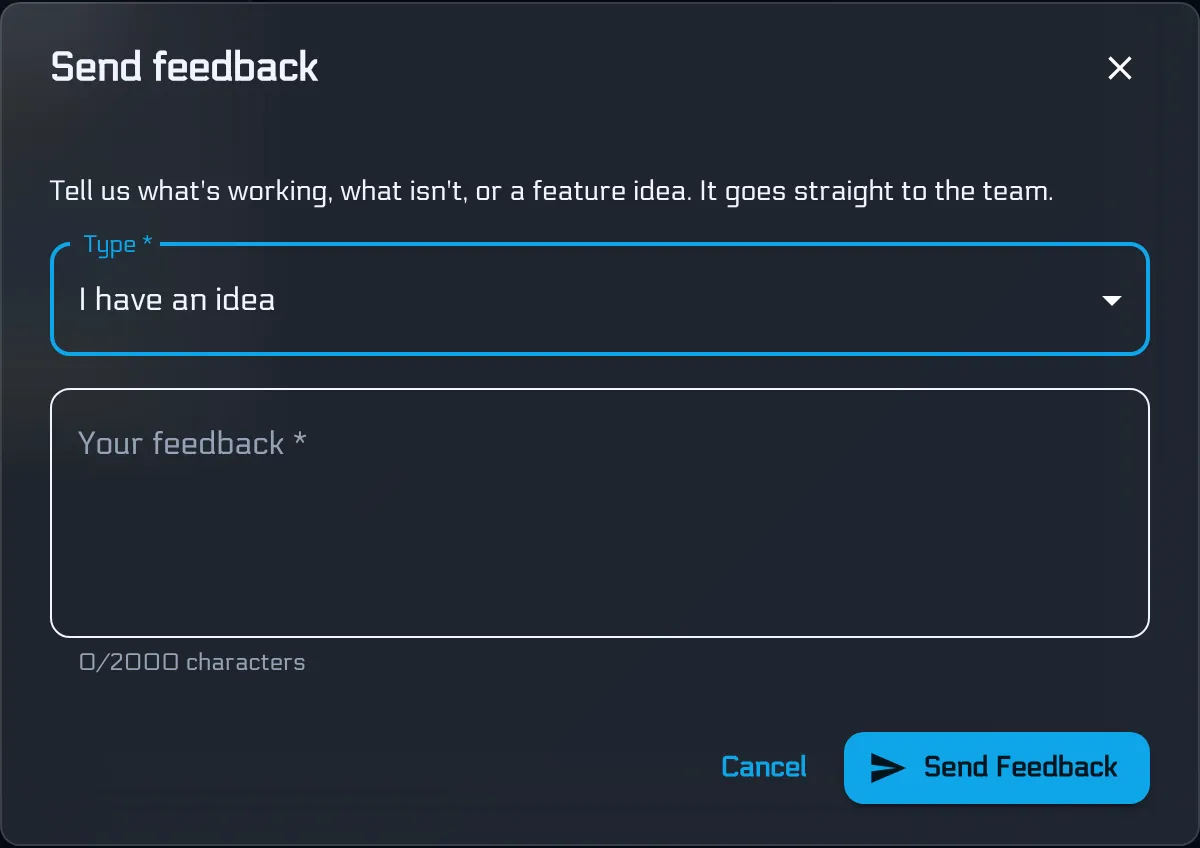
The dialog asks for a type and a message. That is it.
Pick whichever fits:
- Something is broken - a bug, a confusing dead end, something that used to work
- I have an idea - a feature, a workflow tweak, a “what if we could…”
- Something I like - what is already earning its keep; we need that signal too
- Something else - anything that does not fit the boxes above
Write as much or as little as you need (up to 2000 characters). Specific beats vague: the page you were on, what you expected, what happened instead. We also attach the current page path when you send, so you do not have to paste the URL yourself.
Why this exists
Indie tools either hide behind a support portal or pretend they are listening while shipping a roadmap written six months ago. We would rather hear from the people using BandVolt every week - the bands reviewing mixes at midnight, the producers handing work over, the people who notice when a setlist printout is one click too deep.
Feedback is how we stay honest. A clear bug report gets fixed. A sharp idea gets weighed against what else is in flight. A note that something is working stops us from “improving” it into something worse.
We cannot ship every suggestion. We can promise that yours does not disappear into a void.
Tell us
If BandVolt is already part of how your band works, you are exactly who this button is for. Use it when something frustrates you. Use it when something delights you. Use it when you wish one more thing existed.
Open BandVolt and send feedback - the icon is in the header. Or start free if you have not signed up yet.
Frequently asked questions
How do I send feedback in BandVolt?
Look for the speech-bubble icon with an exclamation mark in the top header bar, next to notifications. Click Send feedback, pick a type, write your message, and hit Send Feedback. It goes straight to the team - no support form, no ticket portal.
What kinds of feedback can I send?
Four types - Something is broken, I have an idea, Something I like, or Something else. Use whichever fits. Ideas and bug reports are equally welcome; praise helps us know what to protect as we build.
Does my feedback actually get read?
Yes. Messages land with the people shipping BandVolt, not a generic inbox that nobody owns. We use them to fix problems, prioritise ideas, and notice what is working before we change it.
Do I need Premium to send feedback?
No. If you can sign in, you can send feedback from the header on any tier.
Topics: product update · user feedback · report a problem · feature request · BandVolt