

BandVolt feature walkthrough videos - every feature, step by step
BandVolt now has a YouTube channel with a step-by-step walkthrough video for every feature, plus a full product demo. Here is the playlist and what each video covers.
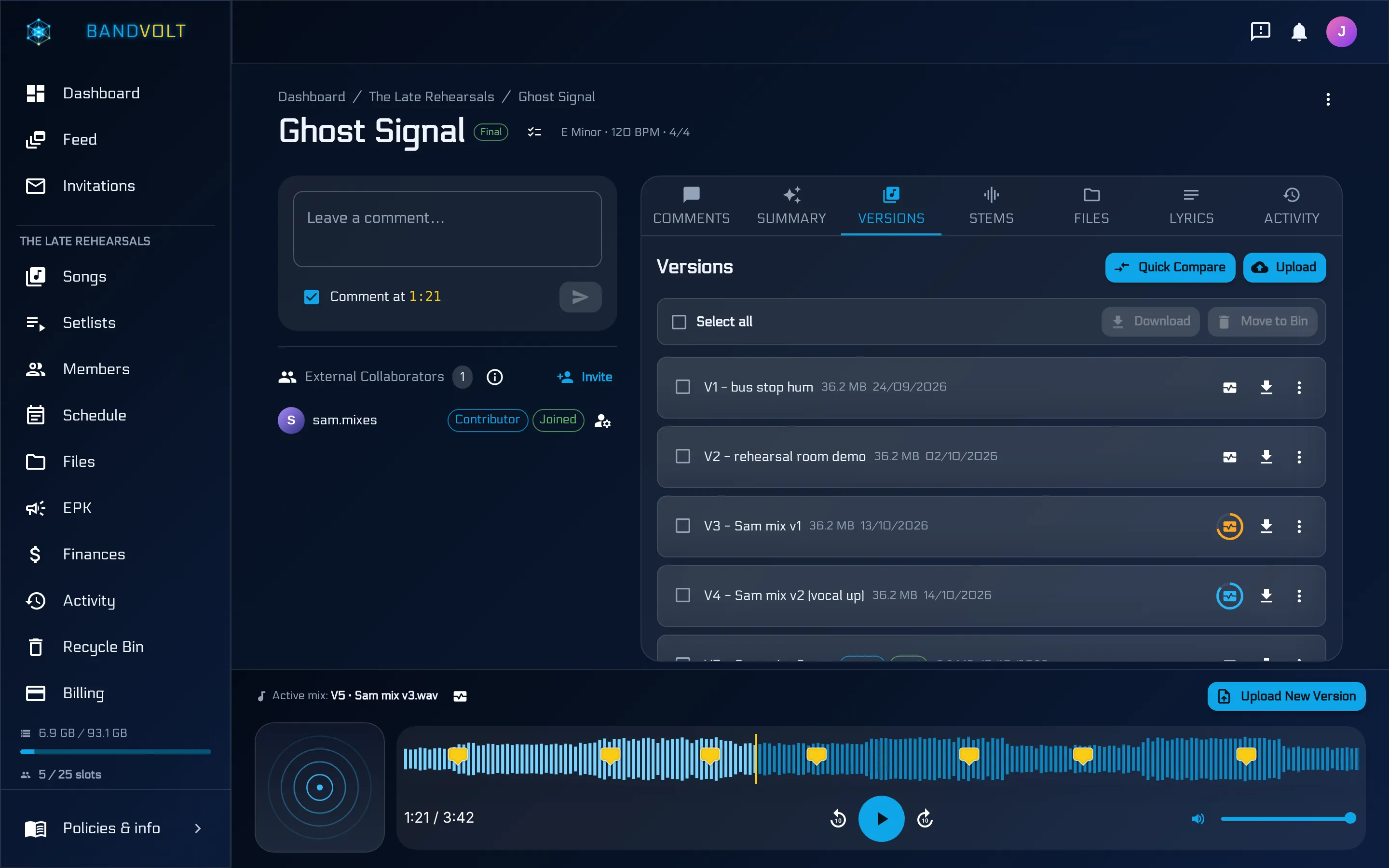
Reading about a feature only gets you so far. At some point you want to see where the button actually is.
Every BandVolt feature now has its own walkthrough video on our YouTube channel: about two minutes, step by step, in the real app. There is also a full product demo if you want the whole tour in one go.
Start here: the full demo
If you have never used BandVolt, start with the full product demo. It tours the whole app, starting from the voice note every song begins as, in a little over two minutes. Short on time? The quick demo covers the highlights in under a minute and a half.
You can also watch the full demo at the top of the features page.
The walkthrough playlist
The feature walkthrough playlist has one video per feature. Each follows the same shape: a title card, numbered steps you can follow along with, then the result. They are filmed in the real app in demo mode, with a fictional band, so what you see is exactly what you will see when you sign in.
Songs, mixes, and feedback
- How to organise your band’s songs in BandVolt - albums and EPs, adding songs, track order, cover art, and song status.
- How to track every mix in BandVolt - uploading a new version, setting the active mix, stems, and downloads. See mix version control.
- How to compare mix versions in BandVolt - Quick Compare, switching mixes mid-song in sync, and loudness matching. See A/B compare.
- How to leave timestamped feedback in BandVolt - notes on the second, @mentions, replies, and resolving threads. See timestamped feedback.
- How to summarise your mix feedback with AI in BandVolt - AI Mix Summary, its action list, and exporting it as Markdown.
- How to check your mix health in BandVolt - running the check, reading the score, and the fixes it suggests. See Mix Health Score.
Your band and the people you work with
- How to invite your band to BandVolt - inviting by username or email, pending invites, and member roles.
- How to work with collaborators in BandVolt - inviting a mix engineer or reviewer to a song or album, and what each role can do. More on that in Contributor and Reviewer roles.
- How to hand finished work to a band in BandVolt - a studio transferring an EP to the band that owns it, with every mix. See content transfer.
Sharing and promo
- How to share your music in BandVolt - share links for a song or an EP, links that follow the active mix, and revoking old ones.
- How to create an EPK in BandVolt - bio, music, photos, links, contact, and publishing. See the free EPK maker.
Gigs, files, and money
- How to plan gigs and rehearsals in BandVolt - adding an event, linking a setlist, attaching the rider, and moving a date. See the band calendar.
- How to build a setlist in BandVolt - picking songs, ordering them, choosing the mix, and linking the gig. See setlists.
- How to organise band files in BandVolt - folders, drag and drop, preview, search, and the Recycle Bin.
- How to track band money in BandVolt - income, expenses, receipts, recurring costs, and the year-to-date view. See band finances.
Watch them on the feature pages too
You do not have to go to YouTube. Each walkthrough is embedded on its section of the features page, and on the feature’s own page where it has one. The video only loads when you press play.
Subscribe for more
We will add videos as features ship and change. Subscribe on YouTube to catch them, or follow along on the socials linked at the bottom of every page.
Seen enough? Start free and try it on your own band’s songs.
Frequently asked questions
Where can I watch BandVolt tutorials?
On the BandVolt YouTube channel at youtube.com/@bandvolt. There is a feature walkthrough playlist with one video per feature, and a full product demo that tours the whole app. Each walkthrough is also embedded on its feature page on bandvolt.com.
How long are the walkthrough videos?
Around two minutes each. Every one opens with a title card, walks through the feature in numbered steps in the real app, then shows the result, so you can follow along in your own band workspace.
Is the band in the videos real?
No. The walkthroughs are filmed in the real BandVolt app running in demo mode, with a fictional band and fictional songs, so no real band's music or data appears on screen.
Do I need an account to watch them?
No. The videos are public on YouTube and play straight from the BandVolt website. You only need an account when you want to try the feature yourself, and BandVolt is free to start.
Topics: BandVolt tutorial · BandVolt walkthrough videos · how to use BandVolt · band management app demo · product update