

Contributor and Reviewer - roles for external collaborators
Invite someone as a Contributor who can upload and download, or as a Reviewer who can stream, Quick Compare, and comment - without file access. Premium only.
By @KHeavy
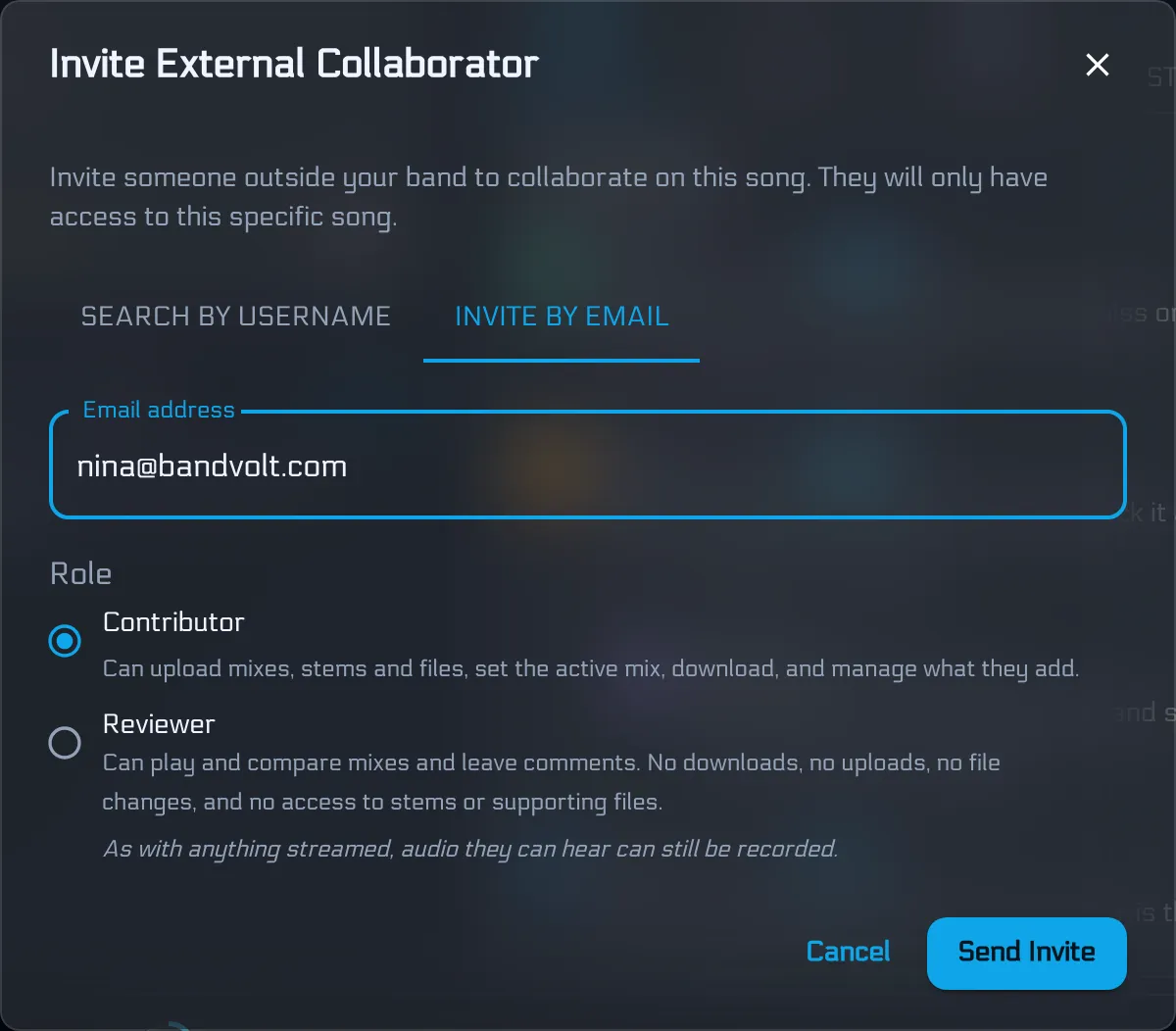
You already know the Premium move: invite a producer, session player, or mix engineer to a song or a whole album without opening the rest of the band workspace. That guest was always a full collaborator - files, uploads, downloads, the lot.
You can now choose their role. Invite them as a Contributor who works on the track with you, or as a Reviewer who listens, compares, and comments - and stops there.
Contributor vs Reviewer
When you invite someone, you pick a role. You can change it later from the collaborators list.
Contributor - works on the track with you. They can play and download the mixes, upload new versions, stems, and supporting files, manage what they added, set the active mix, edit lyrics, and see the song activity timeline. This is today’s full guest collaborator, and the default for existing invites.
Reviewer - listens and gives feedback, nothing more. They can play the mixes, run Quick Compare, and leave timestamped comments (and resolve or delete their own). They cannot download, upload, rename, delete, change the active mix or the lyrics, and they never see stems, supporting files, or the activity timeline.
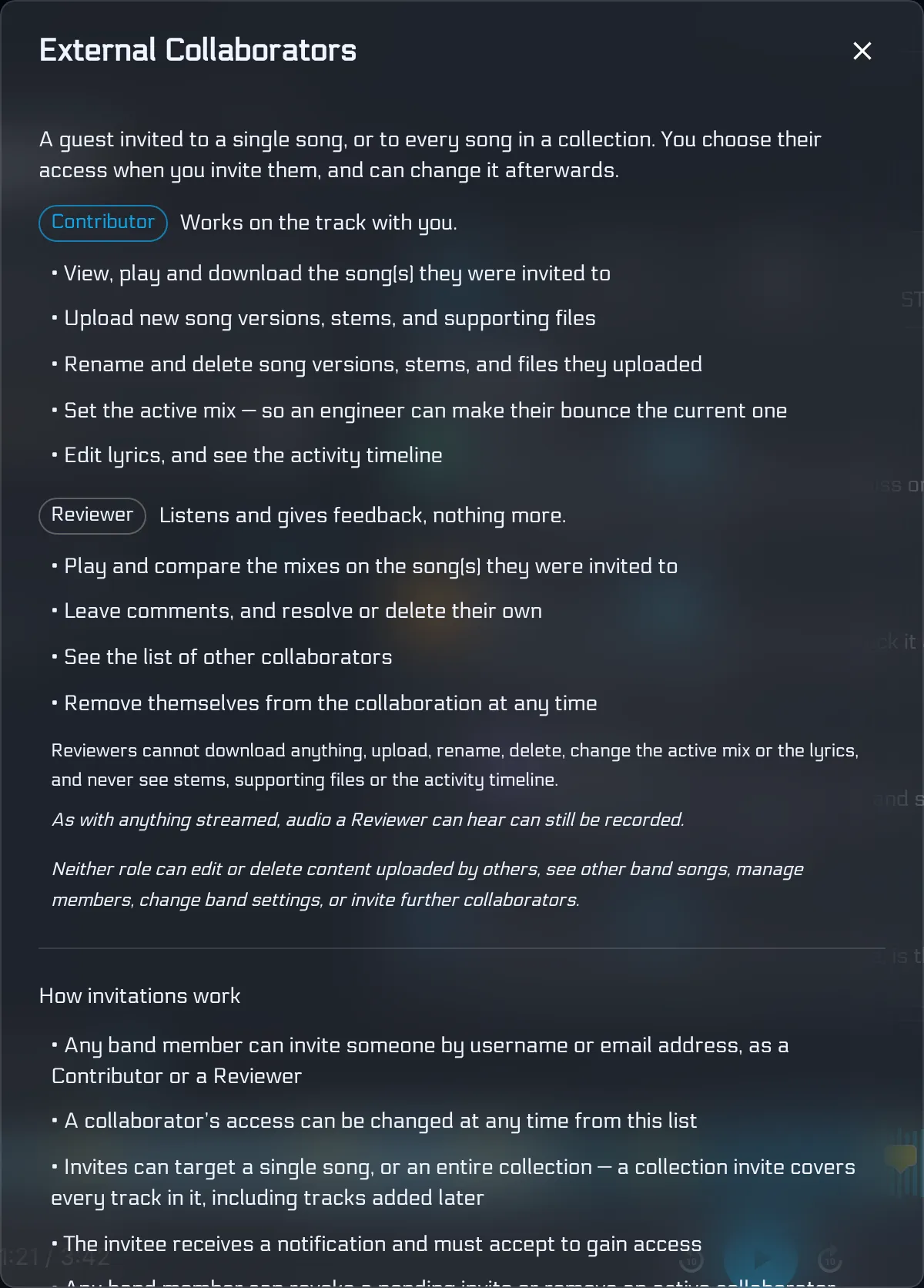
Neither role can manage the band, see other songs you did not share, or invite further collaborators. Access stays scoped to the song or collection you chose.
When to use which
| Situation | Role |
|---|---|
| Mix engineer who needs stems and will bounce new versions | Contributor |
| Session musician sending takes back onto the song | Contributor |
| Manager or A&R who should hear mixes and leave notes | Reviewer |
| Trusted listener for feedback only - no files leaving the workspace | Reviewer |
Rule of thumb: if they need to change the files on the song, they are a Contributor. If they only need to hear and comment, they are a Reviewer.
For studio workflows - joining a band’s workspace vs hosting in your own - see how studio engineers and producers use BandVolt. For the broader invite-vs-public-link story, see working with session players without fourteen emails.
Song invite or collection invite
Same choice either way. Invite to a single song, or to a whole album/EP. One collection invite covers every track in it, including tracks you add later - and it sets one role for every track. Change that role from the collection collaborators list, or invite song-by-song when you need finer control.

Both roles still use a workspace slot on Premium. One person, one slot, regardless of how many songs they are on.
Only invite people you trust
Reviewer is a narrower grant inside BandVolt. It is not DRM, and it is not a promise that streamed audio cannot leave the room.
As with anything streamed, audio a Reviewer can hear can still be recorded - or copied by other malicious steps outside the product. The same honesty applies to public share links: you can revoke access, but content that has already been heard or copied is not within our control.
For unreleased songs and collections, only invite people you trust - Contributors and Reviewers alike. Pick the role that matches the job. Do not pick Reviewer as a substitute for trust.
Bring them in with the right access
Premium bands can invite external collaborators to a song or a whole album/EP as a Contributor or a Reviewer. Contributors build with you. Reviewers listen and leave notes. You choose when you invite, and you can change or revoke afterwards.
Frequently asked questions
What is the difference between a Contributor and a Reviewer?
A Contributor works on the track with you - they can upload and download mixes, stems, and files, set the active mix, and edit lyrics. A Reviewer listens and gives feedback - they can play mixes, run Quick Compare, and leave comments. Reviewers cannot download, upload, change files, or see stems or supporting files.
Which role should I pick for a mix engineer?
Usually Contributor. Engineers need to download stems, bounce new versions back onto the song, and often set their bounce as the active mix. Use Reviewer when someone only needs to hear the current mixes and leave notes - a manager, A&R contact, or trusted listener.
Does a collection invite set one role for every track?
Yes. Inviting someone to an album or EP as a Contributor or Reviewer applies that same role to every track in the collection, including tracks you add later. For a different role on one song only, invite them to that song directly.
Can a Reviewer still record the audio?
Yes. Reviewer removes downloads, uploads, stems, and supporting files from what they can reach in BandVolt - it does not stop someone from recording what they are allowed to stream. Only invite people you trust to unreleased material, the same way you would with a public share link.
Do Reviewers use a workspace slot?
Yes. Every external collaborator - Contributor or Reviewer - uses one workspace slot on the Premium band, the same as a band member. One person uses one slot no matter how many songs they collaborate on.
Topics: external collaborators · collaborator roles · mix feedback · producer workflow · Premium