

Quick Compare
A/B compare two mix versions
Line up two or more versions, keep the playhead where it is, and flip between them. Match levels when you need a fair listen - the difference stops being something you argue about and starts being something you hear.
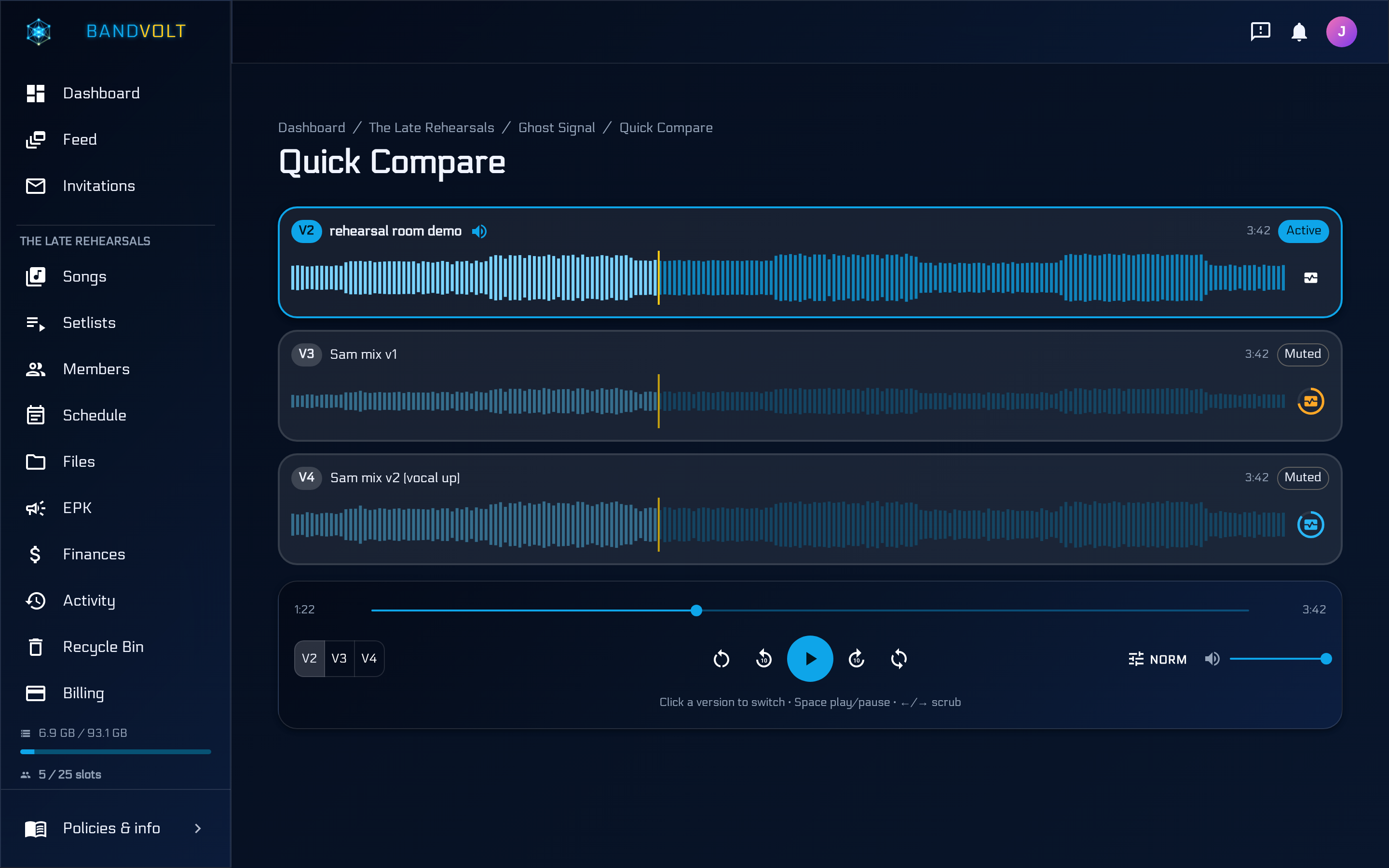
Quick Compare in BandVolt lets your band audition any selection of mix versions side by side and jump between them at the same playback position. Optional loudness matching levels every version to the same perceived loudness, so you hear the mix decisions rather than the master bus gain - and you can compare Mix Health scores to back the decision up.
Watch the walkthrough
Quick Compare step by step in the real app, in under two minutes.
How it works
From the Versions tab on any song, open Quick Compare and pick the mix versions you want to audition. Playback stays locked to the same position as you switch, so you are always hearing the same moment in each take.
Turn on loudness matching in the transport when levels differ - BandVolt measures each version in the browser and attenuates the louder ones to the quietest, so a mastered bounce does not automatically beat a rough mix. When two versions both have Mix Health scores, Quick Compare also shows the per-criterion delta.
What you can do
Compare any selection of versions side by side, each with its own waveform player. Jump between them instantly without losing your place in the track, and match levels when you need a fair listen.
Use Mix Health deltas as objective backup when the band is deciding which revision to keep. Quick Compare and loudness matching are available on every tier, at no Volt cost.
Why it matters
Opening two browser tabs and scrubbing to "roughly the same spot" is guessing, not comparison - and if one file is a decibel louder, it wins every time. Synced, level-matched A/B listening turns "did the revision help?" into a decision the whole band can make in one place.
Everything in Quick Compare
- Compare any selection of mix versions
- Synced playback position across versions
- Instant A/B switching without losing place
- Optional loudness matching for fair A/B listening
- Transparent per-version gain offsets in dB
- Waveform player for every version in the comparison
- Mix Health score comparison between versions
- Per-criterion score deltas when both versions are analysed
- Launched from the Versions tab on any song
- Available on all tiers
Read more on this
- Stop letting loudness choose your mix Why the louder bounce always wins an A/B - and how Quick Compare loudness matching levels every version so you hear the mix decisions, not the master bus gain.
- Quick Compare - hearing what actually changed How to A/B two mix versions properly - why level matching and switching at the same playback position matter, and how to turn "it sounds different" into a note a producer can use.
- Mix Health - know if your mix is release-ready A complete guide to mix readiness for bands - what loudness, true peak, dynamic range, phase, and mono compatibility actually mean, and how to check a mix against all of them before you ship it.
- Approving mixes and masters across a roster: a sign-off process for labels and managers How labels and artist managers keep mix and master approvals straight across several acts - one version history per song, notes on the audio, level-matched comparisons, a technical check, and one clear final.
Quick Compare is one part of BandVolt. See the full feature tour , or this feature in context .