

Quick Compare - hearing what actually changed
How to A/B two mix versions properly - why level matching and switching at the same playback position matter, and how to turn "it sounds different" into a note a producer can use.
By @KHeavy · Updated 7 August 2026
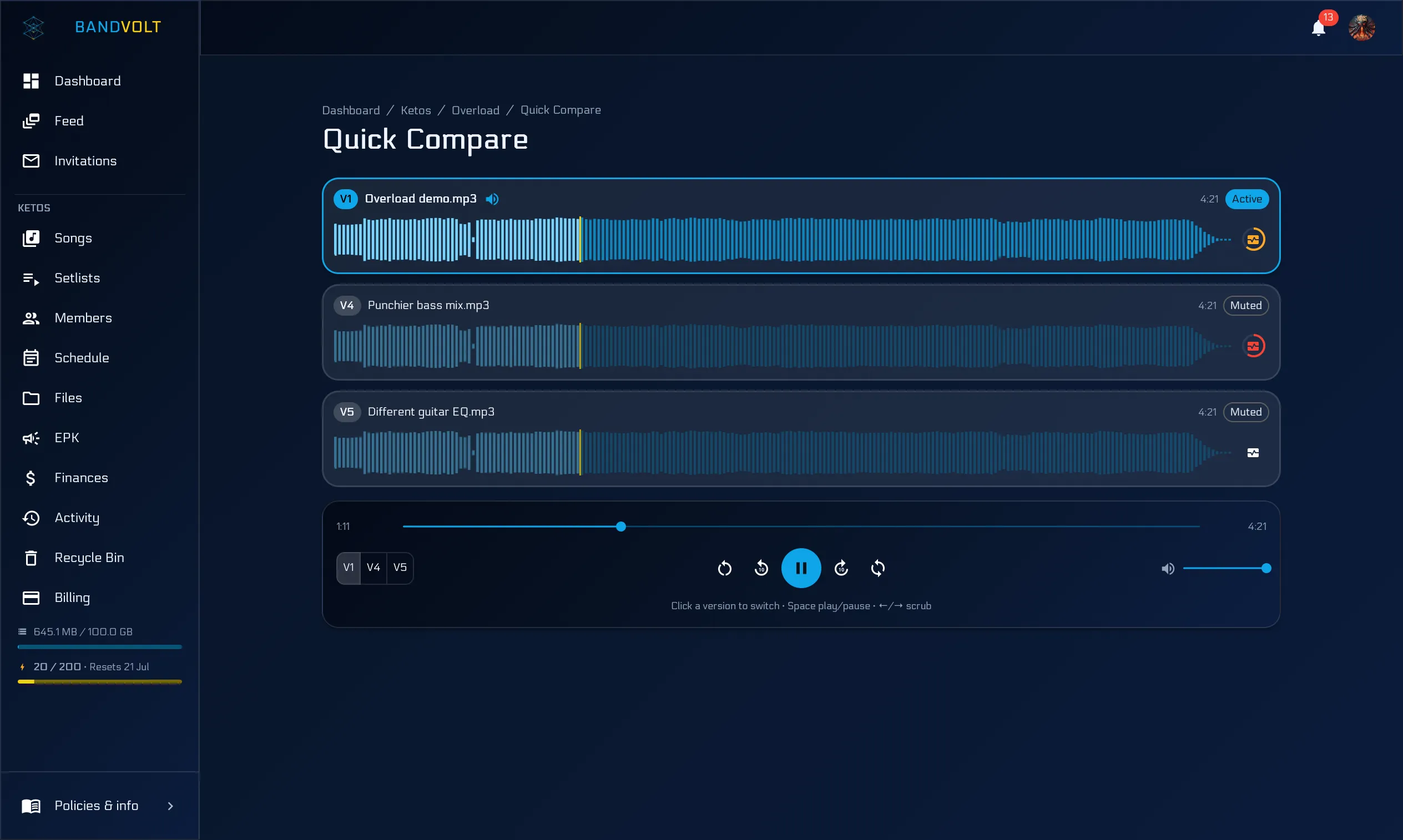
A producer sends a new mix. You listen. It sounds different. But different how?
Most bands answer that question by opening two browser tabs, scrubbing to roughly the same spot in each, and trying to remember what they just heard. That is not comparison. That is guessing.
Why comparing mixes from memory does not work
Auditory memory for fine detail is short - a few seconds at best. That is not a failure of concentration, it is just how hearing works. Any gap between hearing A and hearing B gets filled in by expectation instead of information.
So the usual workflow sabotages itself at every step:
- The gap. Loading the second file, waiting, and scrubbing to the right place takes fifteen or twenty seconds. By the time B is playing, A is gone.
- The position. “Roughly the same spot” is not the same spot. Compare the second chorus of one against the last chorus of the other and you are comparing arrangements, not mixes.
- The level. If B is a decibel louder, B wins. Every time. Louder reads as clearer, bigger, better - and it has nothing to do with the mix being better.
- The order. Whichever you heard last has an advantage, simply because it is the one still in your ears.
This is why “I think the new one’s better” is such an unreliable sentence, and why bands go round in circles for weeks on a mix that stopped improving three versions ago.
Same spot, two versions
Quick Compare in BandVolt lets you flip between two versions of the same song at the same playback position. You are at 1:32 on v4. One click and you are at 1:32 on v3. Then back. Then forward.
Your ears are fresh. The differences are obvious. The vocal got brighter. The kick got quieter. The reverb tail on the snare doubled.
Keeping the playhead is the whole trick. It removes the gap and it removes the position error, which are the two biggest sources of nonsense in a mix comparison.
Match the levels, or the louder one wins
The remaining trap is loudness. If one bounce is a decibel louder, it wins - every time - whether or not the mix improved.
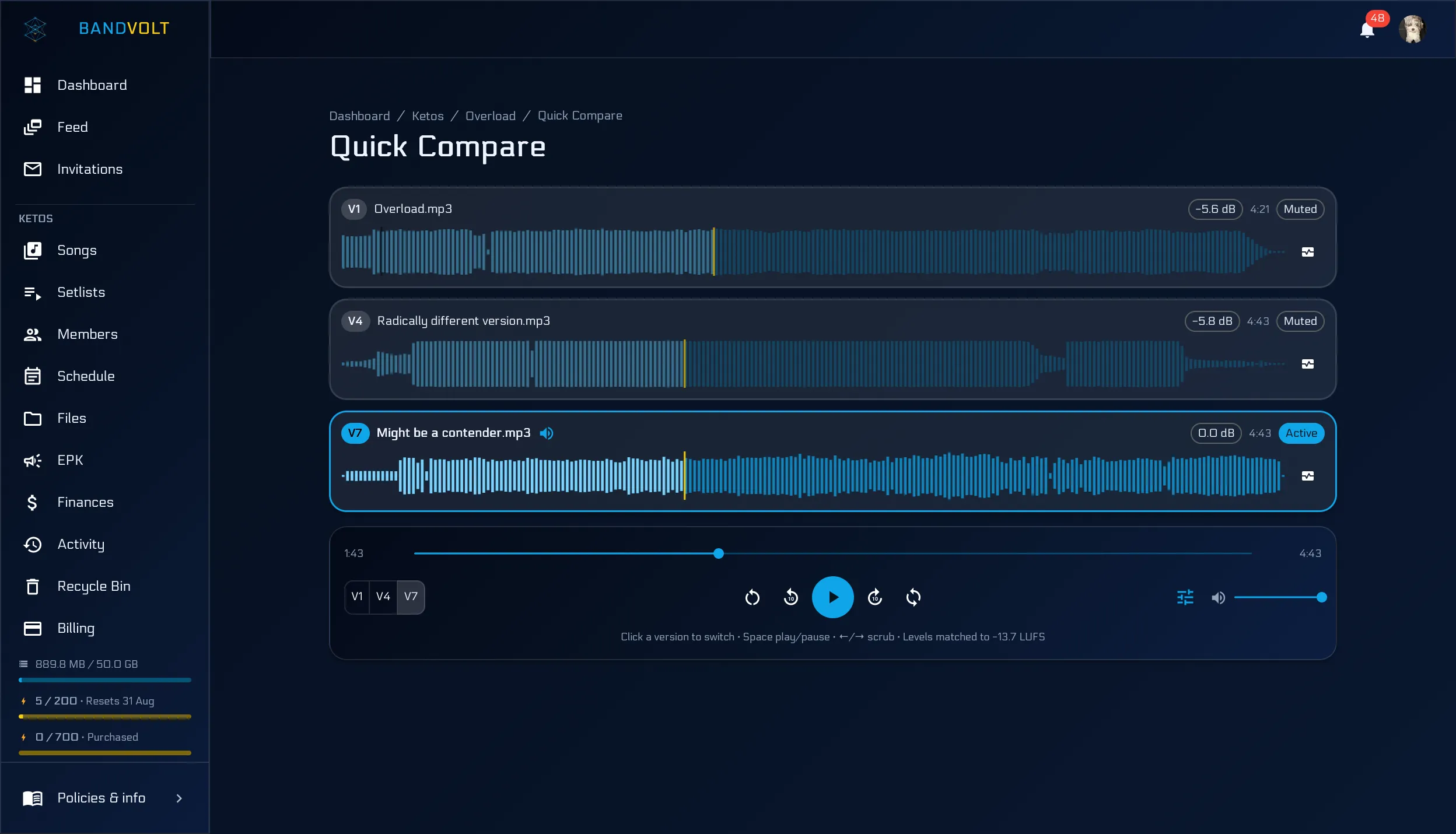
In Quick Compare, turn on loudness matching in the transport. BandVolt levels every version to the same perceived loudness (matching down to the quietest, never boosting), and shows the exact dB offset on each row. Free on every tier; no Volts. We wrote more about why that bias exists - and how the matching works - in stop letting loudness choose your mix.
How to run a comparison that tells you something
A method, if you want the fifteen minutes to be worth something:
- Pick two versions only. The current best and one challenger. Three-way comparisons collapse into recency bias.
- Pick the passages before you start. The second verse into the chorus, and one quiet moment. Same two passages for both versions.
- Match levels before you judge. Turn on loudness matching in Quick Compare so a louder master does not win by default. Otherwise you are just measuring gain.
- Do one element per pass. Vocal. Then low end. Then drums. Then the whole thing. Trying to hear everything at once produces nothing but a vibe.
- Write the note as you hear it, pinned to the timestamp, before you move on. Notes written afterwards are already contaminated by the last thing you heard.
- Take a break before deciding. Five minutes of not listening does more for your judgement than another twenty minutes of A/B.
Do that once and you will notice something slightly deflating: on a lot of comparisons, the honest answer is “these are basically the same”. That is genuinely useful information. It means the mix has stopped improving and the song is ready to go.
Better notes follow
Once you can actually hear the change, the comments get sharper. “The hat is louder than v3 from 1:20” beats “something is off.”
Producers love it because they finally get feedback that maps to what they did. A mix engineer working from “make it warmer” is guessing; a mix engineer working from “v4’s low mids are thicker than v3 in the verse, and I preferred v3 there” can act immediately.
It also kills a specific and demoralising failure mode: the change that fixed one thing and broke another. Without a proper comparison, that shows up as a vague sense that the mix is going backwards even though every individual note was addressed.
Numbers next to your ears
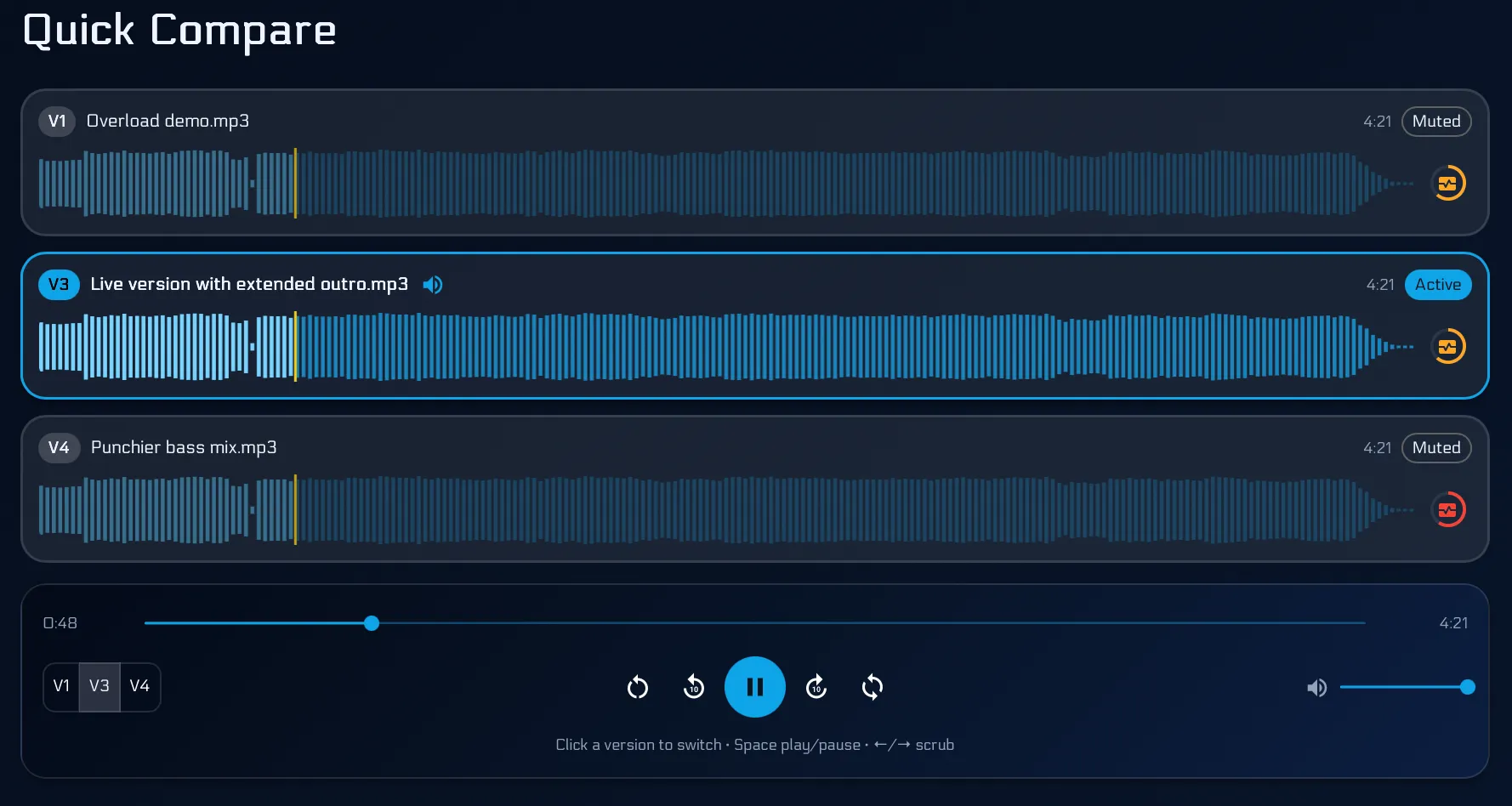
If both versions have had a Mix Health check run on them, Quick Compare also shows how the scores moved. That is a useful sanity check on top of listening - if the new version sounds more exciting but its dynamic range has dropped sharply, you now know why it sounds more exciting, and you can decide whether that was the trade you meant to make.
Ears first, numbers second. But numbers do stop you fooling yourself.
Built into the song page
No extra plugin. No spreadsheet of timestamps. Just open the song, pick two versions, and listen.
It only works because the versions are already there - one song, its whole history, in order. If your mixes are scattered across a chat thread as files with final in the name, there is nothing to compare against; that is the problem version history solves first.
Try Quick Compare on your next mix, or read more about comparing mix versions.
Frequently asked questions
How do you A/B two mixes properly?
Switch between them at the same point in the song, as quickly as possible, at a matched playback level, and listen for one thing at a time. Anything that introduces a gap - reloading a file, scrubbing to find the spot, changing the volume - lets your ear reset and turns the comparison into a memory test.
Why does the louder mix always sound better?
Because a small increase in level reads to the ear as more clarity, weight, and excitement, regardless of whether anything improved. This is why bands so often prefer a new master that is simply louder. Matching levels before you compare is the only way to hear what actually changed. In BandVolt Quick Compare, turn on loudness matching so every version plays at the same perceived loudness.
How many mixes should we compare at once?
Two. Comparing three or more turns into a ranking exercise where the last one you heard usually wins. Take the current front-runner and one challenger, decide, then run the winner against the next candidate.
What should we listen for when comparing versions?
One element per pass. Do a pass for the lead vocal, a pass for the low end, a pass for the drums, a pass for the overall balance. Trying to hear everything at once produces "it feels different" and nothing more specific than that.
Topics: A/B compare mix versions · mix comparison · referencing mixes · loudness matching