

Mix revisions without the email chain: a workflow for engineers and their clients
A revision workflow for mix engineers and producers - one version history per song, notes pinned to the second, a punch list before each pass, and a clear point where the mix is signed off.
By @KHeavy
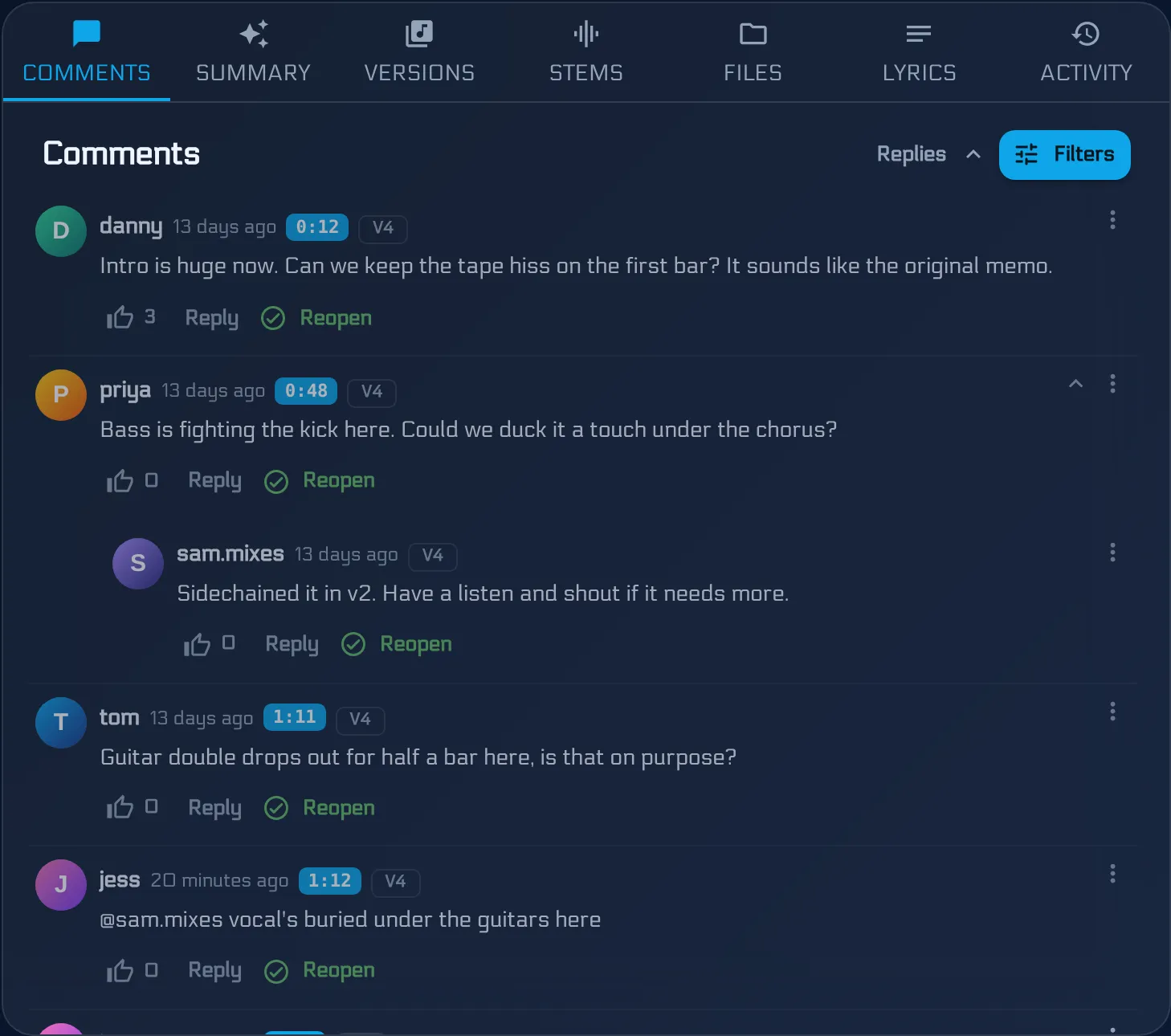
Every engineer knows the revision round that goes sideways. The singer emails notes on v2. The drummer replies-all about v1. The guitarist sends a voice memo from the car that says “you know the bit”. By the time you open the session, you are not mixing - you are doing archaeology.
The short answer: run revisions on the mix, not around it. Keep every pass as a labelled version of the same song, have the band leave notes pinned to the second on the version they heard, turn the open notes into one punch list before each pass, and resolve notes as you action them. The revision count, the open work, and the sign-off are then visible to everyone.
This is the loop that works whether the band already uses BandVolt and invites you in, or you host the project in your own studio workspace. The studio engineer’s guide covers which of those to pick.
1. Every pass is a version, not a filename
Song_mix_v3_FINAL_revised.wav tells nobody anything. Upload each bounce as a new version on the same song instead. It is labelled, dated, and listed in order with its own waveform player - see mix version control.
Two habits make this pay off:
- Name the version after the round. “v3 - vocal ride pass” beats “v3”. When someone asks what changed, the answer is on the list.
- Set the active mix. The band hears the version you want them to review, not the one they happened to bookmark.
Stems and supporting files live on the song too, so the reference track, the lyric sheet, and the vocal stems you were sent are not in a separate Drive folder.
2. Notes pinned to the second, on the version they are about
Ask the band for timestamped comments, not paragraphs. Each note is a marker on the waveform at the moment it refers to, and it belongs to the version it was written on - so v2 notes do not clutter v3.
Coach them on what a good note looks like before the first round. How to give feedback on a mix is a good thing to send a new client: one issue per comment, say what you hear rather than how to fix it, and use a reply rather than a new comment when you agree with someone.
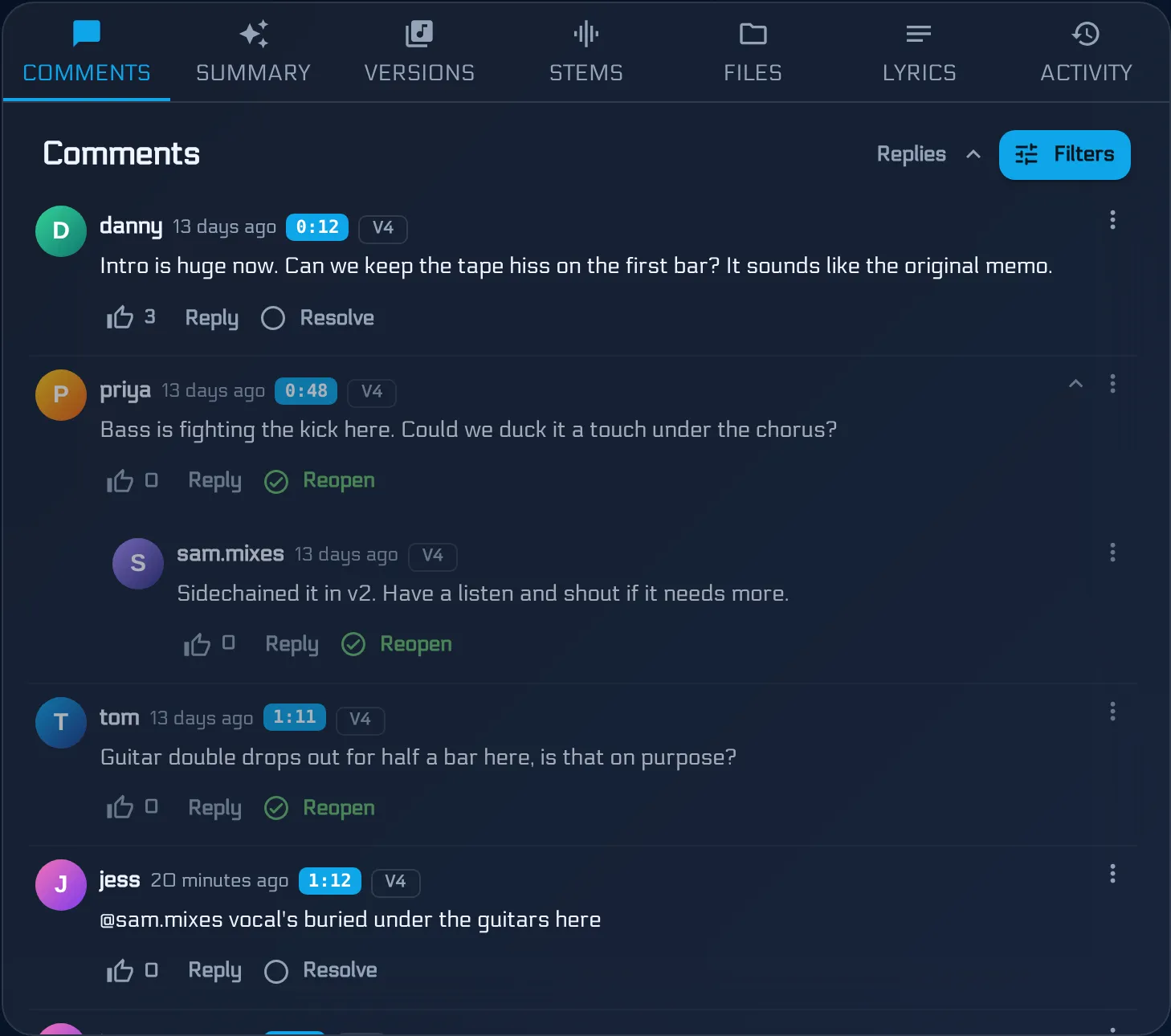
Replies keep a disagreement in one thread. If the guitarist wants the solo louder and the singer does not, you see it as a conversation the band has to settle, not two emails you have to referee.
3. A punch list before every pass
Forty open comments is not a brief. Before you sit down for the next round, run an AI Mix Summary on the version. It reads the unresolved notes, groups the overlapping ones, and returns a prioritised list of what to change. It costs 1 Volt from the band’s pool.
Share that list back with the band and ask one question: is this the list? Anything they add now is in scope for this round. Anything that arrives after you have started goes into the next one. That single check does more to stop a revision round from sprawling than any clause in a contract.
4. Resolve as you go
When you action a note, mark it resolved. Hide resolved threads and what remains is exactly the open work. On the next version the band can see which notes you addressed - and if one was resolved but they still hear the problem, they reply on that thread rather than starting over.
This also makes the round count honest. If your rate includes three rounds, the version list shows three rounds, each with its own notes.
5. Let the band hear the change fairly
The fastest way to lose a revision argument is to deliver a louder mix. People hear louder as better, which is how a pass that changed nothing wins the vote and a real improvement loses it.
Quick Compare plays two versions at the same playback position and switches between them instantly. Turn on loudness matching and the louder version is turned down to match the quieter one, so the band hears your mix decisions rather than a gain change. Stop letting loudness choose your mix explains why that matters.
When both versions have a Mix Health score, Quick Compare shows the change criterion by criterion - a useful back-up when the question is “did this pass fix the clipping?“
6. A clear point of sign-off
Revisions end when someone says so, and “sounds good 👍” in a group chat is not that. Agree up front that sign-off means the band’s decision-maker marks the approved version as the final mix. From then on there is no question about which file is the master, and any later change is a new job, not round seven.
When the band owns the project on BandVolt, you are done - they remove you as a collaborator. When you hosted it, you hand it over with a content transfer: every version, stem, and resolved note moves into their workspace. The studio mix delivery checklist covers what to include in that handover.
The loop in one table
| Step | What you do | What the band does |
|---|---|---|
| Upload | Bounce a new version, name it after the round, set it active | Listen to the active mix |
| Notes | Answer questions in the thread | Pin notes to the second, reply instead of repeating |
| Brief | Run an AI Mix Summary and share the list | Confirm the list is complete |
| Mix | Work the punch list, resolve notes as you go | Nothing - the brief is locked |
| Review | Point them at Quick Compare with loudness matching on | Compare old and new at the same position |
| Sign-off | Hand over or leave | Mark the final mix |
Start free - or see BandVolt for studio engineers and producers for the full picture.
Frequently asked questions
How should a mix engineer collect revision notes from a band?
In one place, pinned to the exact second and to the version the note was written about. Notes spread across email, WhatsApp, and voice memos have to be reassembled before you can act on them. Timestamped comments on the mix itself turn "the bit before the last chorus" into "2:41 on v3", and nothing has to be copied across.
How many mix revisions should a client get?
That is a commercial decision for your rate card, not a software one - two or three rounds is a common starting point. What a workspace changes is how clear each round is. When every round is its own labelled version with its own resolved and unresolved notes, it is obvious how many rounds have happened and what is still open.
How do you stop a band giving conflicting notes?
Put every note where the whole band can see it and reply to it. Conflicts surface in the thread instead of in your inbox, and the band settles them before the next pass. Before you start work, an AI Mix Summary groups the open notes into one prioritised list, so you are mixing to an agreed punch list rather than to whoever emailed last.
Can the band hear v2 and v3 fairly without the louder one winning?
Yes. Quick Compare plays two or more versions at the same playback position, and loudness matching attenuates the louder ones to the quietest so level does not decide the vote. It is available on every tier at no Volt cost.
Does the band need to pay for anything to review my mixes?
If the band already has BandVolt, they invite you in and you work in their workspace. If you host the project in your own studio workspace, you invite the band as external collaborators, which needs Premium on your side - the band can review, comment, and compare without a plan of their own.
Topics: mix revision workflow · client mix feedback · mix engineer revisions · how many mix revisions · mix approval process