

Studio mix delivery checklist: what to hand the band when the mix is done
What a mix engineer or producer should deliver at the end of a job - the final mix, alternate versions, stems, technical checks, credits, and the feedback history - and how to hand it over so nothing expires.
By @KHeavy
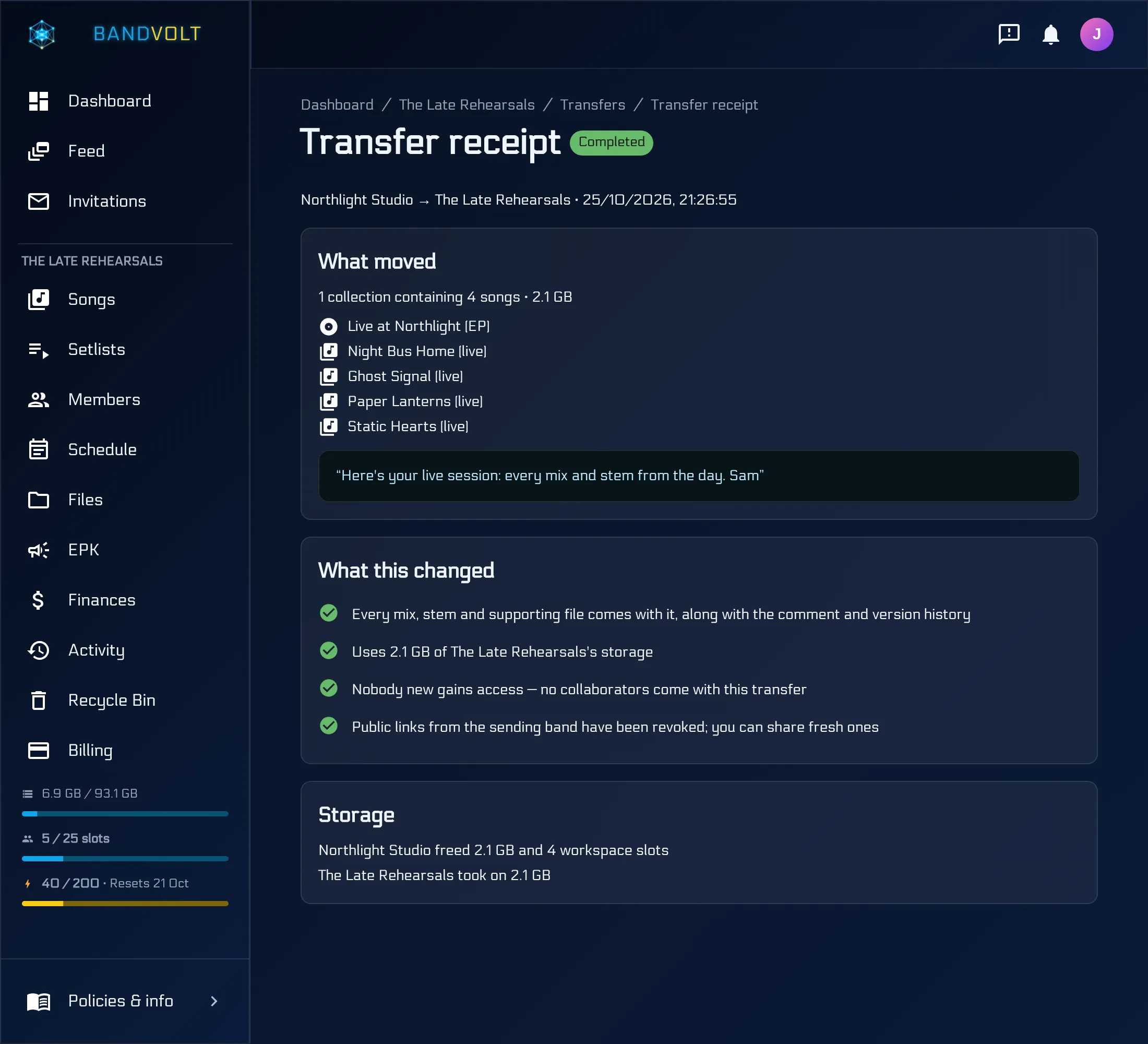
The mix is approved. Now comes the part that is least fun and most often rushed: getting everything to the band in a form they can use in six months, when the label, the mastering engineer, or a sync agent asks for a stem you forgot to bounce.
The short answer: agree the deliverables before the job starts, check the final mix technically before you bounce the alternates, and hand the band the whole project - final mix, alternates, stems, a short technical and credits note, and the feedback history - somewhere it will not expire.
Below is the checklist, then how to hand it over.
1. Agree the list up front
Deliverables are part of the quote. “Just the mix” and “mix, instrumental, a cappella, TV mix, and stems” are very different final days. Write the list into the job and it stops being a negotiation at the end.
2. The final mix
- The approved version, bounced at full quality - WAV at the session sample rate and bit depth unless the mastering engineer asked for something else.
- Marked as final. If the project lives on BandVolt, mark that version as the final mix so there is never a question about which file is the master. See mix version control.
- Mastered and unmastered, if you did both. Label them clearly - an unmastered mix sent to a distributor by mistake is a very quiet release.
3. Alternate versions
Common ones, depending on the job:
- Instrumental - for sync, live backing, and the inevitable lyric video.
- A cappella - for remixers and press.
- TV mix (instrumental with backing vocals) - for performances where the lead is live.
- Clean or radio edit - if the lyrics need it.
- Vocal up / vocal down - if the band could not agree and you would rather they chose later.
Bounce each alternate from the same approved mix, and name it after what it is, not after its bounce number.
4. Stems
Grouped stems (drums, bass, guitars, keys, lead vocal, backing vocals, effects) that play back together to reproduce the final mix, all starting at the same point and the same length. Say in the handover note whether effects are printed on the stems or delivered separately.
On BandVolt, stems attach to the song alongside the mixes, so they travel with the project instead of living in a separate folder.
5. Technical check
Before you bounce the alternates, check the final mix. The things that catch people out:
- True peak and headroom - what the mastering engineer asked for, or around -1.0 dBTP if it is going straight to a distributor.
- Clipping you did not intend.
- Mono compatibility and phase - especially on anything that will be heard on a phone speaker.
- Head and tail - no clicks, no seconds of stray silence, no cut-off reverb tail.
A Mix Health check measures all of that on the version and returns a 0-100 score with plain-language guidance. It is a technical guide, not a replacement for the mastering engineer’s ears. Know if your mix is release-ready walks through each criterion.
6. The handover note
One short document with:
- Sample rate, bit depth, and format of every file
- Which file is the final mix, and which are alternates
- Whether stems include printed effects
- Credits - who played, sang, produced, mixed, and engineered - so the band has them when the distributor asks
- Anything unusual: a sample that needs clearing, a tempo change, a count-in on the stems
7. The feedback history
Nobody asks for this until they need it. When the band comes back in a year wanting a remix, or when someone asks why the vocal was ridden down in the bridge, the answer is in the notes. On BandVolt, every timestamped comment stays on the version it was written on, and Export data on the song downloads the comments, mix summaries, and Mix Health results as Markdown - see export song data as Markdown.
How to hand it over
A zip on a transfer site works once. Then the link expires, the band downloads it to a laptop that dies, and the stems you delivered are gone.
If the band already owns the project on BandVolt, everything above is already in their workspace - remove yourself as a collaborator and you are done.
If you hosted the project in your own studio workspace, use a content transfer. The band’s Owner sees what is moving and how much storage it needs, then accepts. The whole song or album - every version, the stems, the supporting files including your handover note, and the full comment history - moves into their workspace permanently. Your storage frees the moment they accept.
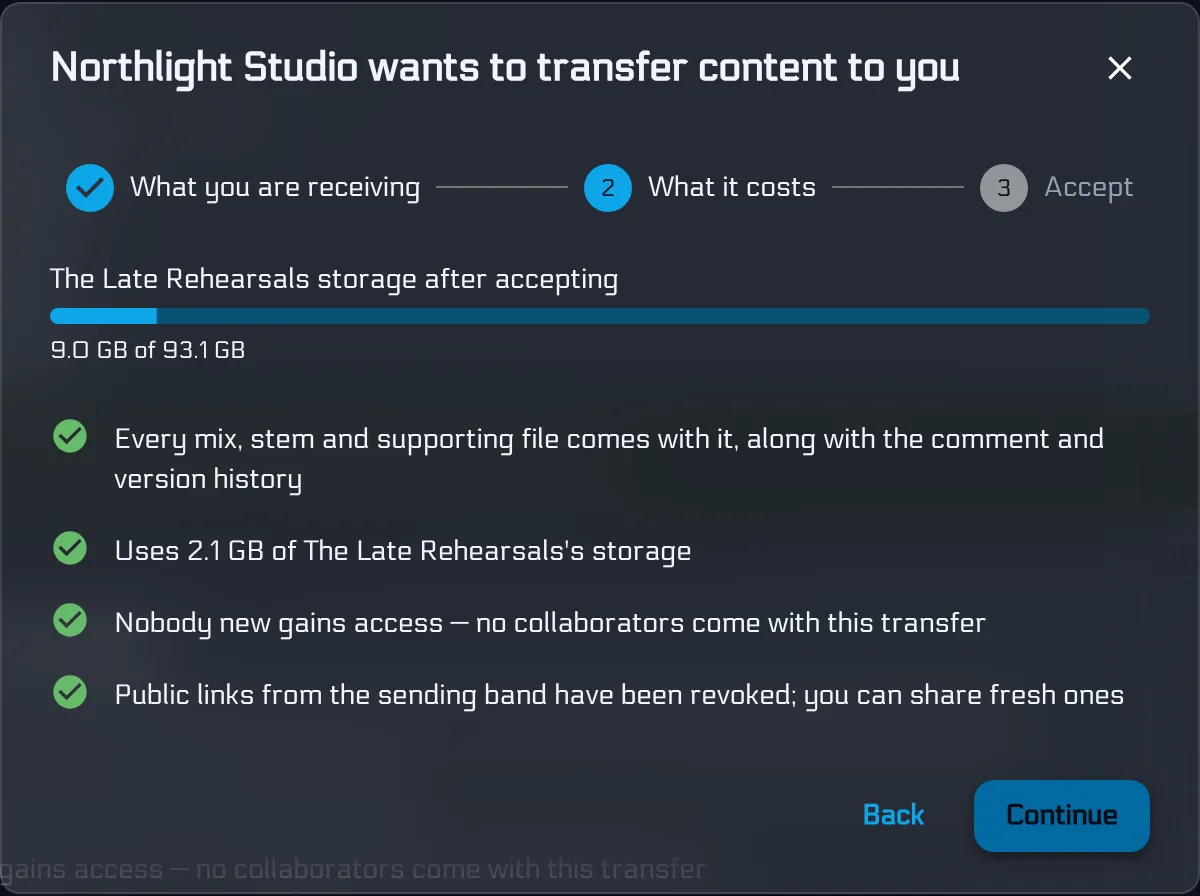
Sending needs Premium on your side. The band can receive on free Basic as long as they have room. For a direct comparison with transfer sites, see WeTransfer and FilePass vs content transfer.
The checklist
- Deliverables agreed in the quote
- Final mix bounced at full quality and marked as final
- Mastered and unmastered versions clearly labelled
- Alternates bounced from the approved mix
- Grouped stems, same start and length
- Technical check on the final mix
- Handover note with formats and credits
- Feedback history kept with the project
- Handed over somewhere that does not expire
Running client work through BandVolt? See BandVolt for studio engineers and producers, or read the mix revision workflow that comes before this step.
Frequently asked questions
What should a mix engineer deliver to the client?
At minimum, the approved final mix as a full-quality WAV at the session sample rate and bit depth. Most jobs also include an instrumental, an a cappella or vocal-up version, grouped stems, and a short note with the technical details and credits. Agree the list before the job starts so the final day is not a negotiation.
Should I deliver the mix at 44.1 kHz or the session sample rate?
Deliver at the rate and bit depth you mixed at unless the mastering engineer or label asks for something else. Converting down is easy later; converting up adds nothing. Say what you delivered in the handover note so nobody has to guess.
How much headroom should a mix have before mastering?
Ask the mastering engineer - preferences vary. If it is going straight to a distributor without mastering, a common target is a true peak at or below about -1.0 dBTP. BandVolt's Mix Health check measures true peak, loudness, clipping, dynamics, and mono compatibility on any version and costs 5 Volts.
Is WeTransfer good enough for delivering a finished mix?
For a one-off file to someone you will never work with again, it can be. For a client project, the link expires and the notes, earlier versions, and stems end up scattered. A BandVolt content transfer moves the whole song or album - versions, stems, files, and comment history - into the client band's workspace permanently.
Does the client need to pay to receive a content transfer?
No. Sending a content transfer needs Premium on the studio side. The receiving band can be on free Basic as long as it has enough storage for what is being transferred.
Topics: mix delivery checklist · what to deliver to a client after mixing · mix engineer deliverables · stems delivery · send final mix to client