

A DAW is not a band workspace (and neither replaces the other)
Logic, Ableton, and Pro Tools are where music gets made. A band workspace is where the band decides. Here is where the line sits, why confusing the two slows records down, and how they work side by side.
By @KHeavy
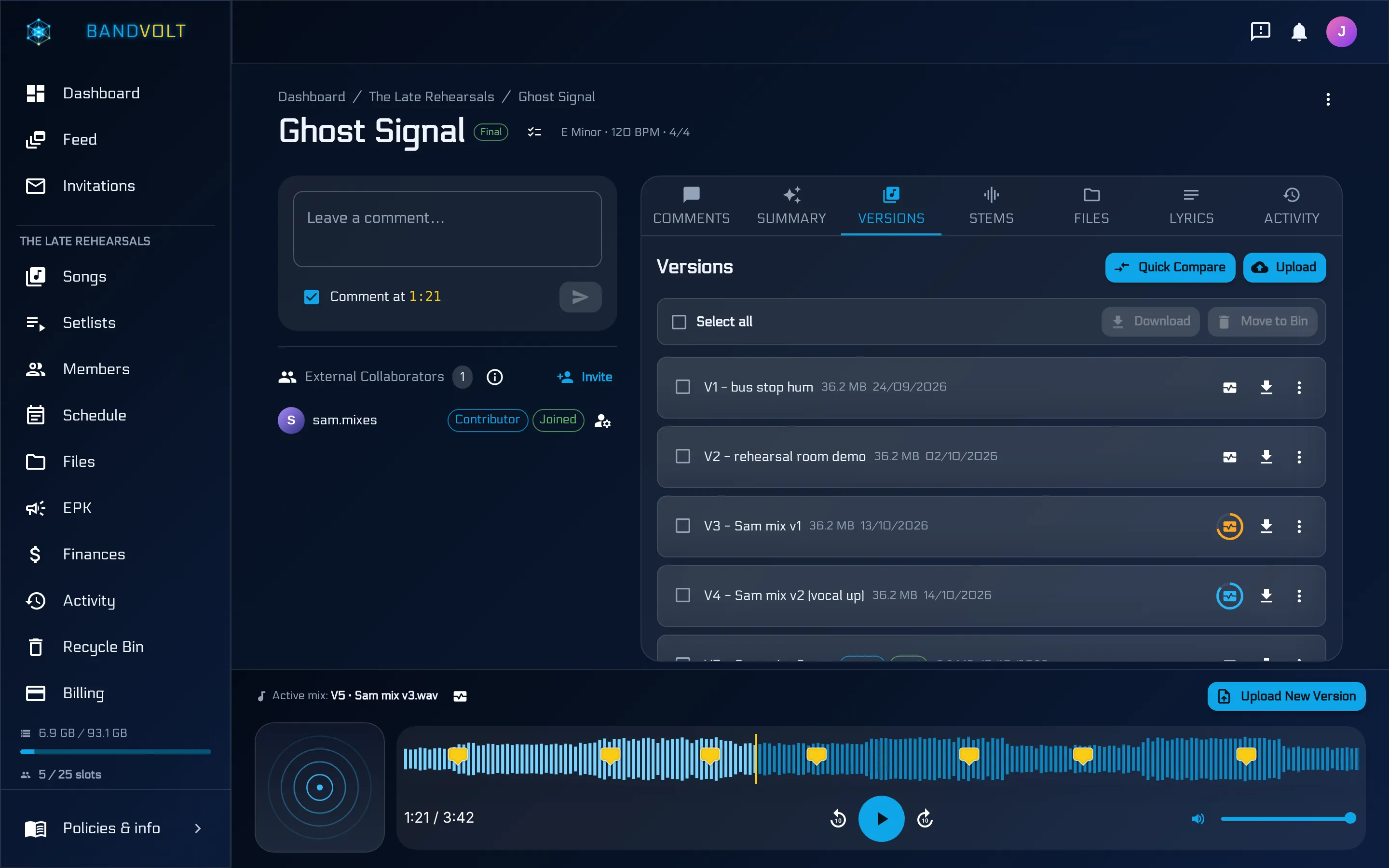
The short answer: a DAW makes the music; a band workspace is where the band decides about it. BandVolt is not a DAW, does not process audio, and does not replace Logic, Ableton, or Pro Tools. It handles what happens after the bounce - versions, feedback, decisions, and the admin around them - so the DAW can stay a production tool.
There is a question that comes up often enough to be worth a proper answer: if we already have Logic, what do we need this for?
It is a fair question, and the honest answer is that the two tools are not competing. They are solving problems that only look similar from a distance.
The line between them
A DAW is a production tool. It exists to record, edit, arrange, and process audio. It is enormously powerful, it is designed around one person at a time driving it, and everything in it is expressed as a session: tracks, regions, plugin chains, automation.
A band workspace is a decision tool. It exists so a group of people can agree on what the music should be. Its unit is not a session, it is a bounce - the thing you can actually play to somebody - plus everything that surrounds it: which version is current, what everyone thought, what still needs doing, when it needs doing by.
The clearest way to see the split is to ask who the tool is for:
- The DAW is for whoever is producing. Usually one person, occasionally two in a room.
- The workspace is for everyone else too - the drummer with no interest in ever opening a DAW, the singer listening on a phone, the manager, the session player who joined for one track.
A record needs both. It gets slow when one is asked to do the other’s job.
Why project files are a bad way to share work
Most bands have tried, at some point, to share the session itself. It rarely goes well, for reasons that have nothing to do with anyone’s competence:
- They only open on the right machine. The right DAW, the right version, and often the right plugins - one missing instrument and the session opens wrong or does not open at all.
- They are huge. Sessions with audio are gigabytes. Sending them around is slow, and versions of them multiply fast.
- They are the wrong altitude. The bassist does not need to see automation lanes. They need to hear whether the bass is loud enough.
- They invite the wrong edits. Once four people can open the session, four people can change it, and now you have a merge problem no DAW is built to solve.
The bounce solves all of this. It plays anywhere, it is small, and it is exactly the thing the band is being asked to judge.
What actually happens after the bounce
Everything in the list below happens outside the DAW, and in most bands it happens badly:
- Somebody has to know which mix is current, and be right.
- Everybody has to hear it at full quality, not through a chat app’s compression.
- Notes have to land somewhere the producer can use them, pointed at moments in the track.
- Someone has to be able to answer “did we fix that?” without relying on memory.
- Stems have to reach the mix engineer, without a scavenger hunt through a drive.
- The band has to know what happens next and by when.
None of those are production problems, so a DAW quite reasonably does not address them. They are coordination problems, and they are where records lose weeks.
How the two fit together
A workflow that keeps the line clean:
- Track and mix in the DAW. Session files stay with whoever is producing. That is their workspace and nobody else needs to touch it.
- Bounce and upload. The bounce becomes the next version of the song - labelled, dated, in order, playing at full quality for everyone.
- The band listens and leaves notes pinned to the second, against that specific version.
- The producer works from the notes, in the DAW, and bounces again. Old notes stay attached to the old version, so you can see what was asked and whether it happened.
- Before it goes out, run a Mix Health check on the final bounce to catch the technical problems that are painful to discover after release.
The DAW never leaves the producer’s machine. The band never has to install anything. Nobody is blocked on owning the same software.
Where stems and files sit
Stems are the one thing that genuinely lives in both worlds, and the rule that keeps it simple is: stems belong on the song, not in a folder somewhere else.
In BandVolt they sit in their own tab on the song, right beside the version history and the comment thread. A mix engineer opening “Ghost Signal” finds the current bounce, the parts, and everything the band has said about both, without being sent a second link to a drive.
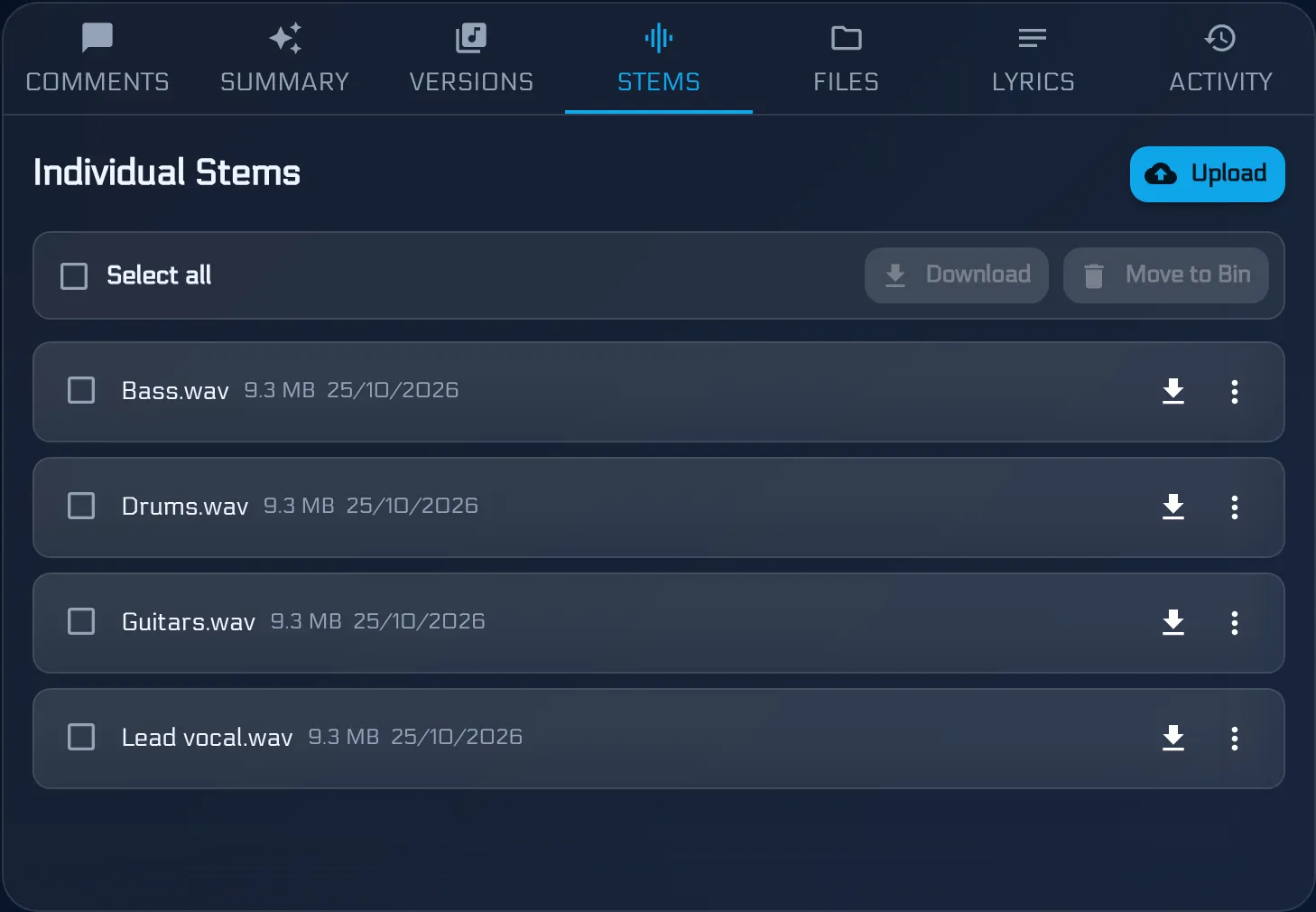
Contrast that with the usual arrangement, where the mix is in a chat thread, the stems are in a drive folder called Stems FINAL, and the notes are in a third place. Nothing there is wrong on its own; it is the three-places-at-once that costs the time. That is the practical difference between a workspace and a shared drive.
Naming still matters for stems, because they are files rather than versions - “Rhythm Guitar Left.mp3” tells the next person what it is and audio_04.mp3 does not. But they are at least files sitting on the song they belong to, which is most of the battle.
What BandVolt deliberately does not do
Worth stating plainly, because vagueness here wastes people’s time:
- It does not record audio.
- It does not edit or process audio - no EQ, no compression, no mastering.
- It does not open or convert DAW project files.
- It does not modify your uploads. What you upload is what plays back and what downloads, at full original quality.
The Mix Health check reads a file and reports on it; it never changes it. And it is guidance, not mastering - your engineer and your distributor’s spec sheet still have the final word.
So which do you need?
If you are asking whether to buy a DAW or use a band workspace, the question is malformed. Whoever is producing needs a DAW. The band needs somewhere to hear versions, say what they think, and know what is happening.
Most bands already have the first and are improvising the second out of a group chat and a cloud drive. That improvisation is what costs the weeks - and it is the only part of this BandVolt is trying to replace.
See what a band workspace covers, or start free and keep your DAW exactly where it is.
Frequently asked questions
Is BandVolt a DAW?
No. BandVolt does not record, edit, or process audio, and it is not trying to replace Logic, Ableton, Pro Tools, Reaper, or anything else. It sits alongside your DAW and handles what happens after the bounce - versions, feedback, decisions, and everything else the band needs to agree on.
What is the difference between a DAW and a band collaboration workspace?
A DAW is a production tool for one person at a time, built to create and shape audio. A band workspace is a decision tool for the whole band, built around finished bounces - which version is current, what everyone said about it, what still needs fixing, and what happens next.
Do we still need a DAW if we use BandVolt?
Yes, if you are recording or mixing. Whoever produces the music needs a DAW and always will. What changes is that the rest of the band no longer needs one to take part in the conversation about the music.
Can BandVolt open our Logic or Ableton project files?
No, and it deliberately does not try. Project files only open on a machine with the right software and often the right plugins, which is exactly why they are a poor way to share work with a band. BandVolt works with bounces - the audio everyone can actually play.
Where should stems live?
On the song, next to its version history - not in a drive folder three levels away from the music. In BandVolt stems sit in their own tab on the song, so whoever is mixing opens one place and finds the current bounce, the parts, and the discussion about both.
Topics: DAW vs band collaboration workspace · band collaboration software · Logic Ableton Pro Tools · music production workflow