

Approving mixes and masters across a roster: a sign-off process for labels and managers
How labels and artist managers keep mix and master approvals straight across several acts - one version history per song, notes on the audio, level-matched comparisons, a technical check, and one clear final.
By @KHeavy
One act, one album, and approval by email just about works. Three acts with releases in the same quarter, and it stops working quickly. Somebody approves “the version from Tuesday”, the mastering engineer has a different Tuesday, and a week before the distributor deadline nobody can say with confidence which file was signed off.
The short answer: give every song one version history, get notes on the audio rather than in email, compare versions at matched loudness, run a technical check before sign-off, and have one named person mark the approved version as final. Keep each act in its own workspace so none of it crosses over between artists.
This is the process, step by step. The roster overview for labels and managers covers the wider setup.
Keep each act separate
Approval mistakes across a roster are usually crossover mistakes - act A’s notes applied to act B’s mix, or a master sent from the wrong folder. The fix is structural. Each act on BandVolt is its own workspace, with its own songs, versions, notes, calendar, and files. Members of one act see nothing of another. You belong to all of them and switch between them without logging out; Premium band memberships are unlimited.
One version history per song
Every mix and master the act or their engineer uploads becomes a labelled, dated version of the song, in order - see mix version control. Nobody has to name files MASTER_FINAL_approved2.wav, and “the one from Tuesday” has a date and a label on the list.
Ask engineers to name each version after what it is: “v4 - mix, vocal ride”, “v6 - master, streaming”. It costs them a few seconds and saves you every “which one is this?” email.
Notes on the audio
Approval notes belong on the mix. Timestamped comments pin each note to the second and to the version it was written about, so “the snare is harsh in the second chorus” becomes a marker at 2:14 on v4 that the engineer can act on.
Label notes and band notes land in the same thread. If A&R wants the vocal up and the singer wants it down, that is visible as one conversation - not two emails the engineer has to referee. When a thread has grown long, an AI Mix Summary groups the open notes into a prioritised list.
Compare at matched loudness
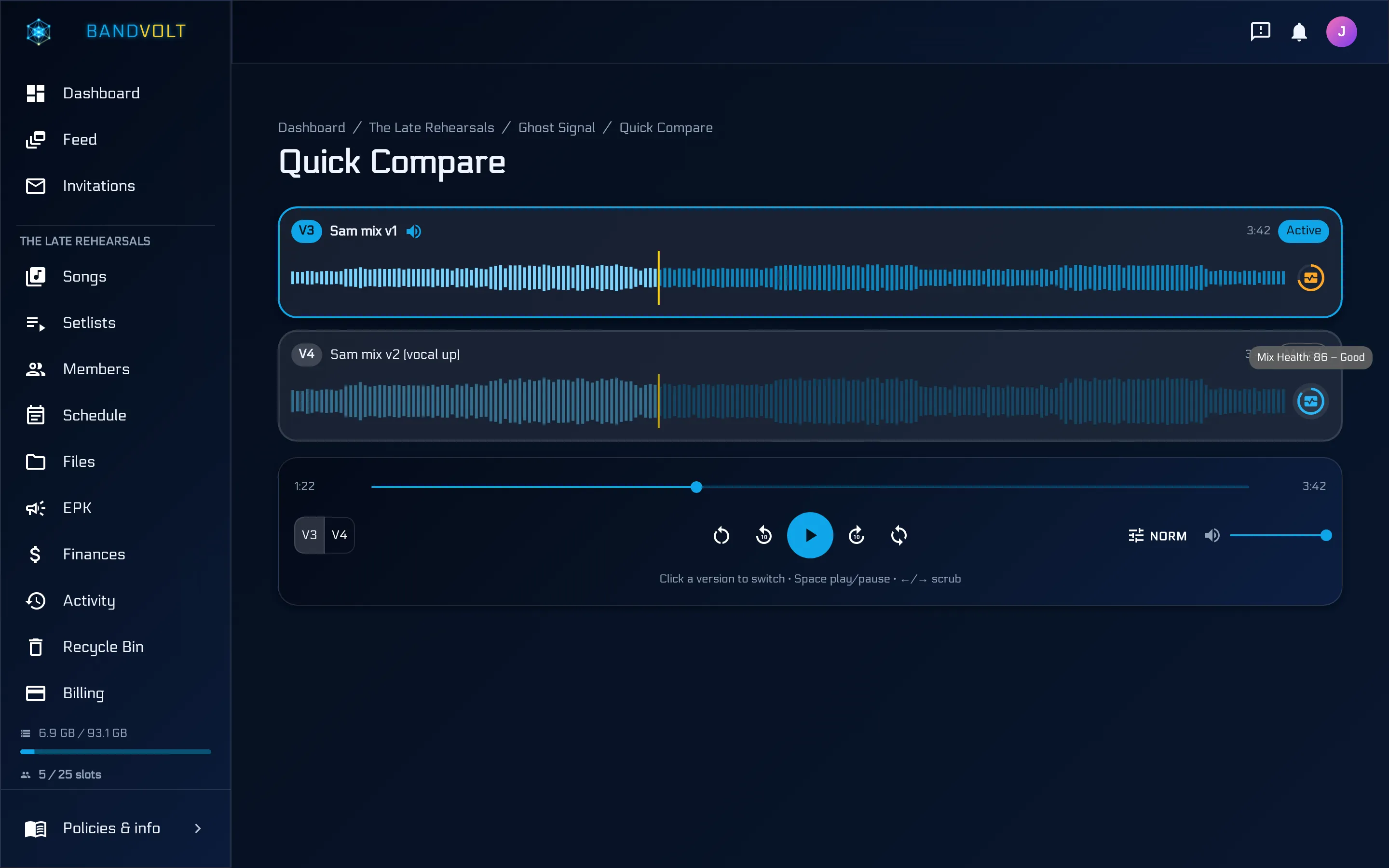
A louder master sounds better on first listen. That is how the wrong version gets approved. Quick Compare plays two or more versions at the same playback position, and loudness matching turns the louder ones down to the quietest, so you hear the mastering decisions rather than the level. Stop letting loudness choose your mix goes into why.
Run a technical check before sign-off
Ears catch the creative problems. A Mix Health check catches the technical ones before the distributor does: true peak, integrated loudness, clipping, dynamic range, phase and mono compatibility, sample rate, bit depth, and head and tail silence. It returns a 0-100 score with plain-language guidance, and when two versions are both analysed, Quick Compare shows the difference criterion by criterion.
Treat it as a gate rather than a verdict: if a master scores low on true peak, ask the mastering engineer about it before you approve. It does not replace their judgement.
One person marks the final
Decide before the first mix arrives who gives final sign-off on each release. Everyone can comment. One person marks the approved version as the final mix. From then on, the answer to “which file is the master?” is on the song, not in someone’s memory.
Bring the engineers in, not the files out
On Premium, the act’s workspace can invite the mix and mastering engineers as external collaborators - a Contributor to upload versions, or a Reviewer to listen, compare, and comment. One invite covers a whole album, including tracks added later, and they see nothing else on the roster. See Contributor and Reviewer roles.
If the engineer runs the project in their own studio workspace instead, they can hand the finished album to the act with a content transfer when it is done - versions, stems, and notes included.
The approval checklist
- Each act in its own workspace
- Every mix and master uploaded as a named version of the song
- All notes pinned to the audio, not in email
- Versions compared at matched loudness
- Mix Health check on the candidate master
- Named decision-maker marks the final
- Final master and notes kept with the song
Running several acts? See BandVolt for labels and artist managers. Label pricing for larger rosters is available from [email protected].
Frequently asked questions
How do labels approve mixes and masters?
The reliable version is simple: one place per song where every version is listed in order, notes are left on the audio at the second they refer to, versions are compared at matched loudness, a technical check runs before sign-off, and one named person marks the approved version as final. What breaks it is approval by email thread, where nobody can say which attachment was approved.
How do I manage approvals for several artists at once?
Keep each act in its own workspace so their versions, notes, and decisions never mix, and be a member of all of them. On BandVolt, Premium band memberships are unlimited, so a manager or label contact can move between every act on the roster from one login.
Who should give final sign-off on a master?
One named person per release - usually the artist's decision-maker, the manager, or the A&R lead, depending on the deal. Decide it before the first mix arrives. Everyone can comment; one person marks the final.
Can I check a master is technically ready before it goes to the distributor?
Yes. A Mix Health check on the version measures true peak, integrated loudness, clipping, dynamic range, phase and mono compatibility, sample rate, bit depth, and head and tail silence, and returns a 0-100 score with guidance. It costs 5 Volts and is a technical guide, not a replacement for a mastering engineer.
Do producers and mastering engineers need their own BandVolt plan?
No. On Premium, the act's workspace can invite them as external collaborators on a single song or a whole album. A Contributor can upload and download; a Reviewer can stream, compare, and comment. They see only what they were invited to.
Topics: master approval process · label mix approval · artist manager workflow · managing multiple artists · sign off final mix